Vandal
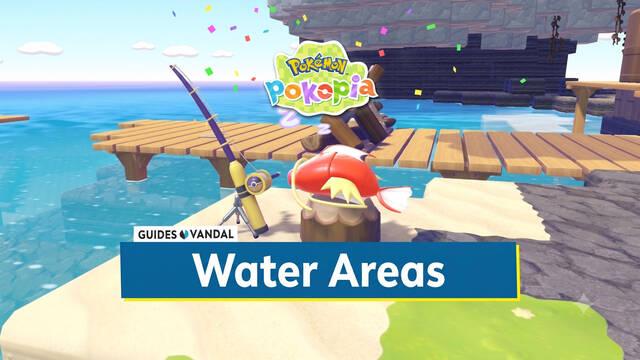
Water Areas in Pokémon Pokopia: How to Create Rivers and Waterfalls

Water Areas in Pokémon Pokopia: How to Create Rivers and Waterfalls

Learn how to create custom water areas in Pokémon Pokopia, including hot springs, mud pools, rivers, swimming pools, natural waterfalls, and even lava.
Daniel González · Published: 8 Aug 2026, 00:37

Pokémon Pokopia offers an enormous amount of freedom when it comes to customizing the world—so much so that you can even create your own water areas. However, if you've only recently started playing, you might not be entirely sure how to do this. In this entry of our guide, we'll explain all the methods you can use to create swimming pools, ponds, waterfalls, hot springs, muddy pools, and more.

How to create water areas wherever you want

There are several ways to create water areas in Pokémon Pokopia. To begin with, you can always redirect existing water toward another location. By taking advantage of a natural waterfall, river channel, or similar feature, you can break terrain blocks with Rock Smash to carve out a watercourse leading somewhere else—for example, into a pond you've prepared beforehand.

However, this isn't the most convenient method and can require a great deal of work. The best way to create water areas is actually to unlock the Stockpile Water special move. This move allows you to suck water into your mouth and then spit it out wherever you want. It can be learned from Paldean Wooper, which appears after you create the Marshy tall grass habitat.
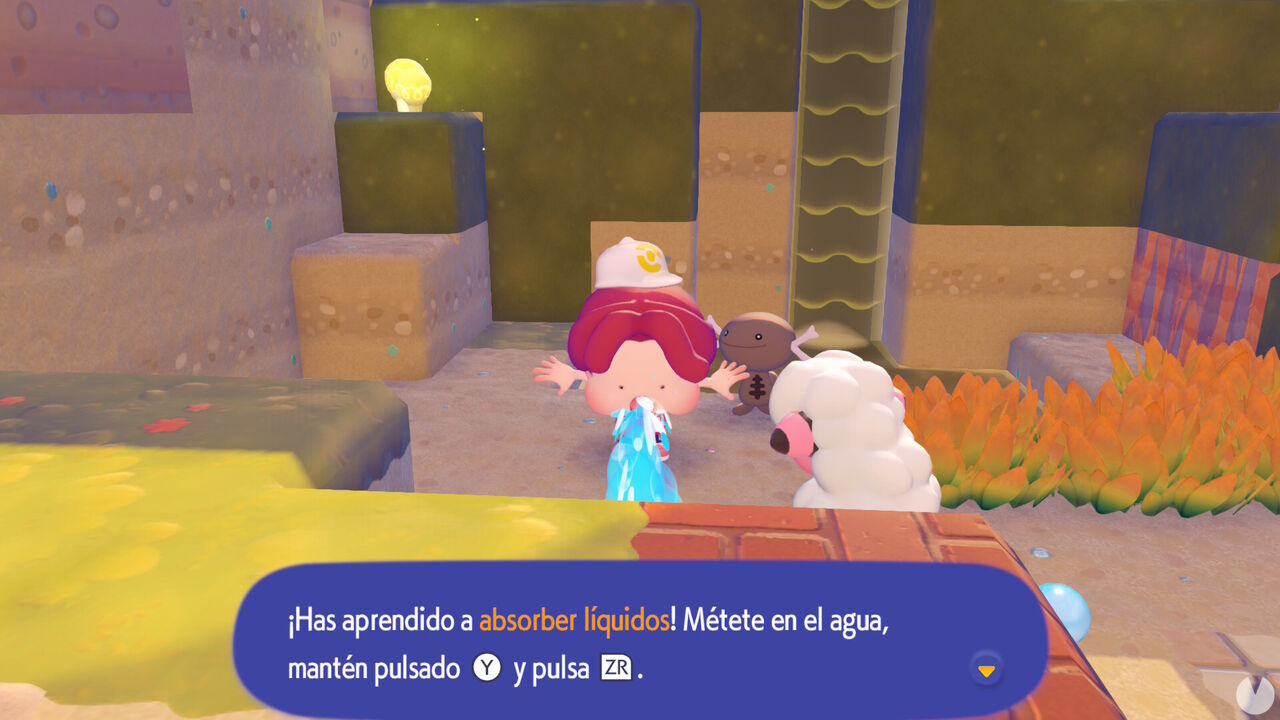
Pokémon Pokopia - How to unlock Stockpile Water to create water areas

To obtain this move, you first need to progress through the adventure in Bleak Beach until Piplup gives you a request to create Wooper's habitat. In our case, this request became available after rebuilding the area's Pokémon Center and completing the "Brighten Things Up" request. Create the habitat if you haven't already, then speak to Wooper. It will give you another request that requires you to bring it 3 Tomatoes. Once you've done so, it will teach you the move.

After learning Stockpile Water, you can visit any natural body of water or the ocean and suck some of it into your mouth. While Ditto is holding the water, you can spit it out wherever you want. This can be used to water crops, moisten dry ground, or create entirely new water areas if you've prepared the terrain beforehand—for example, by digging out an area with enough depth for the water to collect.
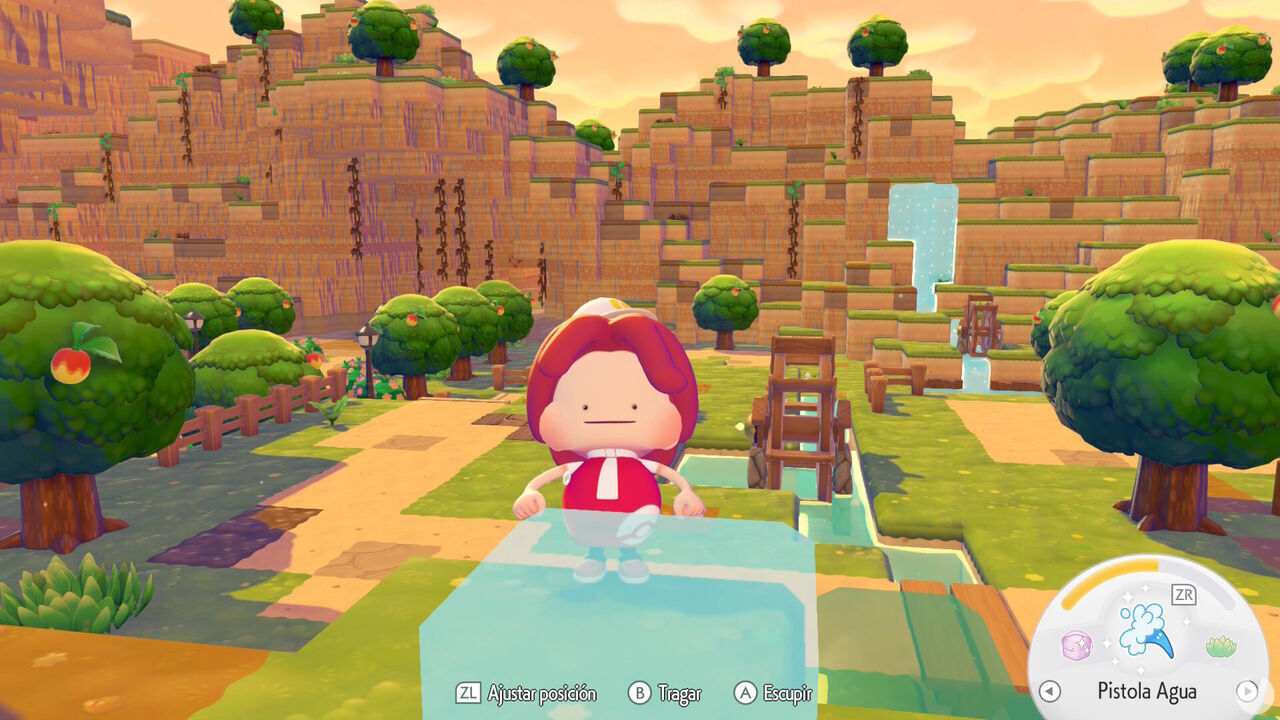
Pokémon Pokopia - How to use Stockpile Water to create water areas

In addition, after learning Stockpile Water, you can drink a bottle of Fresh Water to store ordinary water in your mouth and then spit it out wherever you like. These bottles can be purchased from PC Shops or randomly obtained from vending machines. Soda Pop, meanwhile, allows you to create areas of Ocean Water.

This makes it quick and easy to create swimming pools, lakes, ponds, rivers, and many other bodies of water with whatever features you want.

How to create waterfalls

Once you've learned Stockpile Water, you can also create waterfalls. The process is very simple: climb to an elevated area and, while standing at the edge of the terrain with water stored in your mouth, spit it downward to create a waterfall:
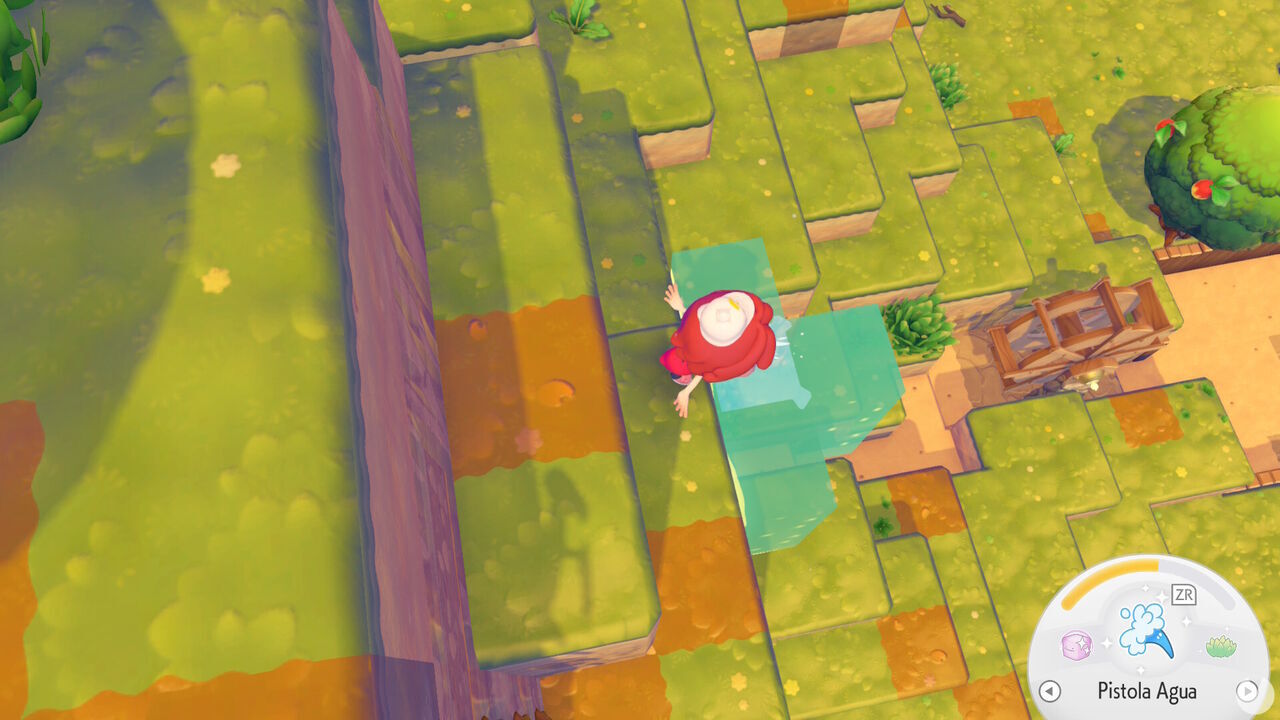
Pokémon Pokopia - How to create waterfalls with Stockpile Water

Once created, water will continue falling from that spot indefinitely. This can be useful if you want to build a decorative waterfall, create a particular habitat, or have an infinite source of water. If you suck up the water where the waterfall lands, more will continue to appear, so the area will never completely dry out.

How to create hot springs, muddy water, and lava areas

Just like with ordinary water and Ocean Water, you can create Hot Spring Water areas, Muddy Water pools, and even Lava areas using—once again—the Stockpile Water move described above.

Although you can suck up Hot Spring Water, Muddy Water, or Lava from an existing source and spit it out somewhere else, you can also drink the contents of certain bottles to generate these types of liquid without relying on a natural source.
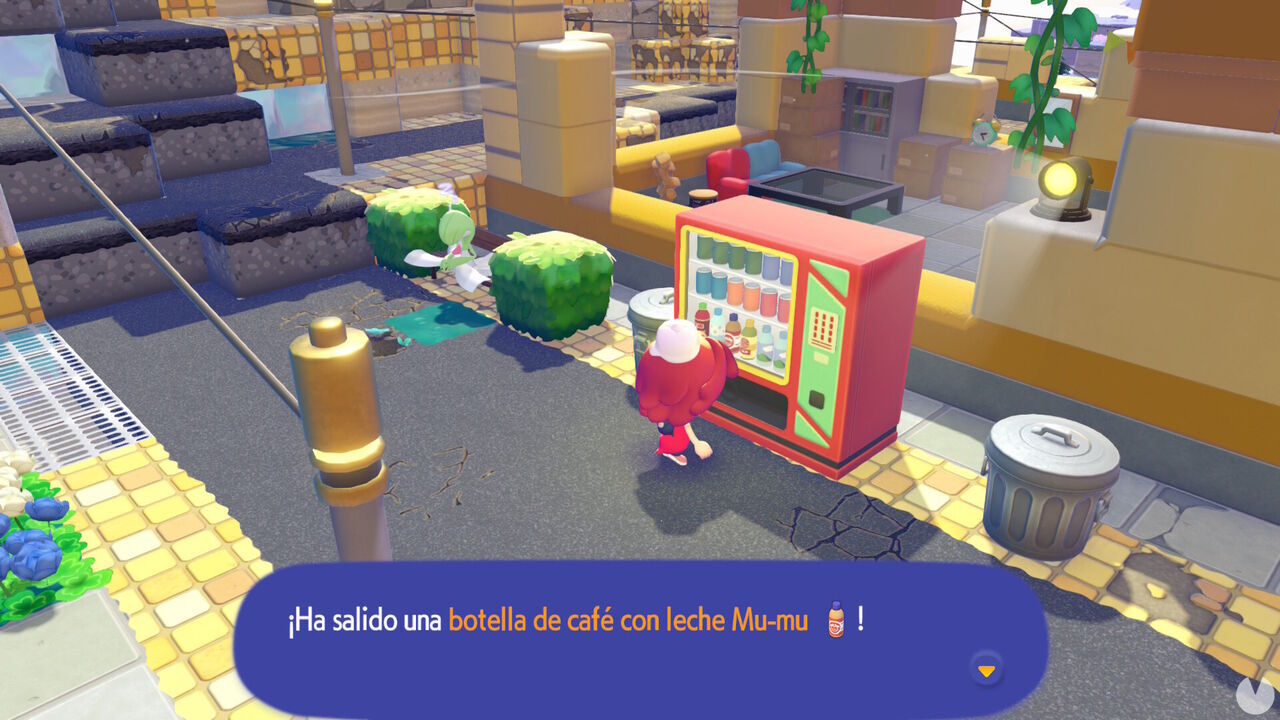
Pokémon Pokopia - How to create hot springs, Muddy Water, and Lava using bottled drinks
  • Roserade Tea: allows you to create Hot Spring Water areas.
  • Moomoo Milk Coffee: allows you to create Muddy Water areas.
  • Chili sauce: allows you to create Lava areas.

All three of these drinks can be obtained randomly from vending machines. Each machine dispenses a different drink once per day. Remember, however, that vending machines must be connected to a power supply to work. See our entry on how to generate electricity for more details.
Latest updates about Pokémon Pokopia

Pokémon Pokopia: How to Get Decorative Poké Balls for Starmie’s Habitat
Pokémon Pokopia · 10 Aug 2026, 21:43
To create the Mermaid’s Gym habitat in Pokémon Pokopia DLC 1: Bubbly Basin, you need six types of Decorative Poké Balls. Find out where to get them all.
Pokémon Pokopia: All Large Marine Lost Relics in DLC 1
Pokémon Pokopia · 10 Aug 2026, 21:40
Discover all the new Large Marine Lost Relics available exclusively in Pokémon Pokopia DLC 1: Bubbly Basin, including what they are and how to get them!
Pokémon Pokopia: Basin Dream Island and How to Get the Starmie Doll
Pokémon Pokopia · 10 Aug 2026, 21:33
Learn how to unlock the Starmie Doll in Pokémon Pokopia DLC 1: Bubbly Basin, visit Basin Dream Island, and discover the materials and secrets hidden there.
Pokémon Pokopia: How to Get Phione
Pokémon Pokopia · 10 Aug 2026, 21:31
Learn the exclusive method to find Phione and register it in the Pokédex, one of the two Mythical Pokémon featured in Bubbly Basin, Pokémon Pokopia’s first DLC.
Pokémon Pokopia: All Bubbly Basin Human Records Locations
Pokémon Pokopia · 10 Aug 2026, 21:26
Find every type of Human Record you can collect in Bubbly Basin, the area introduced in Pokémon Pokopia DLC 1, including their locations and rewards!
Pokémon Pokopia: How to Move Pokémon Between Different Areas
Pokémon Pokopia · 8 Aug 2026, 13:51
Wondering how to move Pokémon from one main area to another in Pokémon Pokopia? Here’s the simple way to relocate your Pokémon.
Pokémon Pokopia: All Minigames, How to Unlock Them, and Rewards
Pokémon Pokopia · 8 Aug 2026, 13:49
Pokémon Pokopia features several fun minigames with rewards to earn. Here’s a complete list and how to unlock each one.
Pokémon Pokopia: How to Increase Trainer Rank and Open Access Gates
Pokémon Pokopia · 8 Aug 2026, 13:40
Here’s how to increase your Trainer Rank in Pokémon Pokopia, which you will need to do to unlock all the access gates leading to new areas.
Pokémon Pokopia: How to Get Music Discs and Listen to Music
Pokémon Pokopia · 8 Aug 2026, 13:38
Here’s how to unlock new music discs, meet DJ Rotom, and play iconic tracks from across the franchise in Pokémon Pokopia.
Pokémon Pokopia: How to Fast Travel Around the World
Pokémon Pokopia · 8 Aug 2026, 13:35
Here are all the ways to use fast travel in Pokémon Pokopia, move quickly between areas, and teleport to other locations.
Pokémon Pokopia: How to Get Life Coins Fast
Pokémon Pokopia · 8 Aug 2026, 13:32
Here’s how to quickly earn Life Coins in Pokémon Pokopia, allowing you to make money fast and buy all the items available from shops.
Pokémon Pokopia: How to Increase Your Maximum PP
Pokémon Pokopia · 8 Aug 2026, 13:28
Here’s how to increase Ditto’s maximum PP in Pokémon Pokopia, allowing you to use special moves and transformations for longer without having to eat.
Pokémon Pokopia: How to Increase Inventory Space and Store More Items
Pokémon Pokopia · 8 Aug 2026, 13:25
Here’s how to increase the number of slots in your Bag in Pokémon Pokopia and easily store more resources and items using storage boxes.
Pokémon Pokopia: How to Skip Time and Change the Time or Weather
Pokémon Pokopia · 8 Aug 2026, 13:22
Here’s how to quickly skip time in Pokémon Pokopia to change the current time or date, as well as how to alter the weather.
Pokémon Pokopia: How to Increase Pokémon Comfort Levels
Pokémon Pokopia · 8 Aug 2026, 13:20
These are the methods you can use to make Pokémon more comfortable in Pokémon Pokopia, increase their overall Comfort Level, and improve your Environment Quality.
Can You Play Pokémon Pokopia on Nintendo Switch 1?
Pokémon Pokopia · 8 Aug 2026, 13:12
Wondering whether Pokémon Pokopia is also playable on the original Nintendo Switch? Here, we explain whether the game is a Switch 2 exclusive and cover all the details.

Pokémon Pokopia File Size Revealed; It Will Launch on a Game-Key Card for Nintendo Switch 2
Pokémon Pokopia · 8 Aug 2026, 13:09
A download card confirms that Pokémon Pokopia, the new life sim set in the Pokémon universe, won't take up much storage space on Switch 2 despite launching on a game-key card.
Exactly How Long Is Pokémon Pokopia? Story Length of Pokémon’s Animal Crossing
Pokémon Pokopia · 8 Aug 2026, 13:06
Pokémon Pokopia offers a Pokémon adventure inspired by Animal Crossing and Dragon Quest Builders. How long does this acclaimed spin-off take to beat?
Pokémon Pokopia - Video Game (Switch 2)
Pokémon Pokopia · 8 Aug 2026, 13:03
Everything you need to know about Pokémon Pokopia for Switch 2: release date, latest news, reviews, screenshots, gameplay videos, and much more.
Frequently Asked Questions About Pokémon Pokopia
Pokémon Pokopia · 8 Aug 2026, 13:00
Find answers to the most common questions about Pokémon Pokopia and everything players may want to know about Game Freak’s life simulation game.
Pokémon Pokopia Mystery Gift Codes and Rewards
Pokémon Pokopia · 8 Aug 2026, 12:58
Discover all the redeemable codes and free gifts available in Pokémon Pokopia that you can claim in your game for special rewards via the Mystery Gift feature.
Wish Upon a Jirachi in Pokémon Pokopia: Dates, Habitat, and Items
Pokémon Pokopia · 8 Aug 2026, 12:51
Discover all the details about Pokémon Pokopia’s special Jirachi event, including its dates and times, how to get this Mythical Pokémon, its habitat, item sets, and how to complete wishes.
Sableye’s Gem Hunt in Pokémon Pokopia: Dates, Habitat, and Items
Pokémon Pokopia · 8 Aug 2026, 12:47
Discover all the details about Pokémon Pokopia’s special Sableye event, including its dates and times, how to get Sableye, its habitat, unique shop items, and more.
More Spores for Hoppip in Pokémon Pokopia: Dates, Pokémon, and Items
Pokémon Pokopia · 8 Aug 2026, 12:43
Discover all the details about Pokémon Pokopia's More Spores for Hoppip event, including its dates and times, exclusive Pokémon, unique item set, and more.
Special Events in Pokémon Pokopia: Dates, Details, and Rewards
Pokémon Pokopia · 8 Aug 2026, 12:39
Discover all the special and limited-time events scheduled for Pokémon Pokopia, including their dates, features, and exclusive rewards.
Multiplayer in Pokémon Pokopia: How It Works, Cloud Island, and Limitations
Pokémon Pokopia · 8 Aug 2026, 12:36
Learn about Pokémon Pokopia's co-op multiplayer features, including how many players can join, how Cloud Island works, and what restrictions apply.
Dream Islands in Pokémon Pokopia: How to Unlock Them, Types, and Resources
Pokémon Pokopia · 8 Aug 2026, 12:29
Learn how to unlock and travel to Dream Islands with Drifloon in Pokémon Pokopia, including plush toy and island types and the materials you can find.
ALL Human Records in Pokémon Pokopia and Where to Find Them
Pokémon Pokopia · 8 Aug 2026, 12:21
Find every Human Record in Pokémon Pokopia with the locations of all collectible newspapers, diaries, magazines, letters, documents, and photos.
Pokémon Pokopia: Mosslax Offerings and Their Special Effects
Pokémon Pokopia · 8 Aug 2026, 12:02
Discover all the special bonuses and beneficial effects you can activate by offering different foods to Mosslax in Pokémon Pokopia and using its Eat Specialty.
All Foods in Pokémon Pokopia: How to Get Them and Favorite Flavors
Pokémon Pokopia · 8 Aug 2026, 11:59
Check out the complete list of foods and edible ingredients available in Pokémon Pokopia, their associated flavors, and which Pokémon species prefer each one.

More about Pokémon Pokopia

Pokémon Pokopia
Find every Pokémon, create their habitats, and build and customize the world your way in Pokémon Pokopia with our complete guide!
Flecha subir