
Pokémon Pokopia: How to Print and Duplicate Any Item
Want to duplicate items in Pokémon Pokopia? There’s a very simple way to do it: use the 3D Printer. Here’s how to unlock this feature and use it.
Daniel González · Published: 8 Aug 2026, 11:29
Although there technically isn't a "cheat" in Pokémon Pokopia that lets you duplicate items endlessly, the game does provide every player with an official method for duplicating items that can be used legitimately and without penalties at any point in the game. How? It's simple: by using 3D Printers. If you don't know where to find them or exactly how to use them, this entry of our guide explains everything you need to know.
Where to find 3D Printers
3D Printers are machines that are guaranteed to appear automatically inside every Pokémon Center you rebuild throughout the game's different areas.
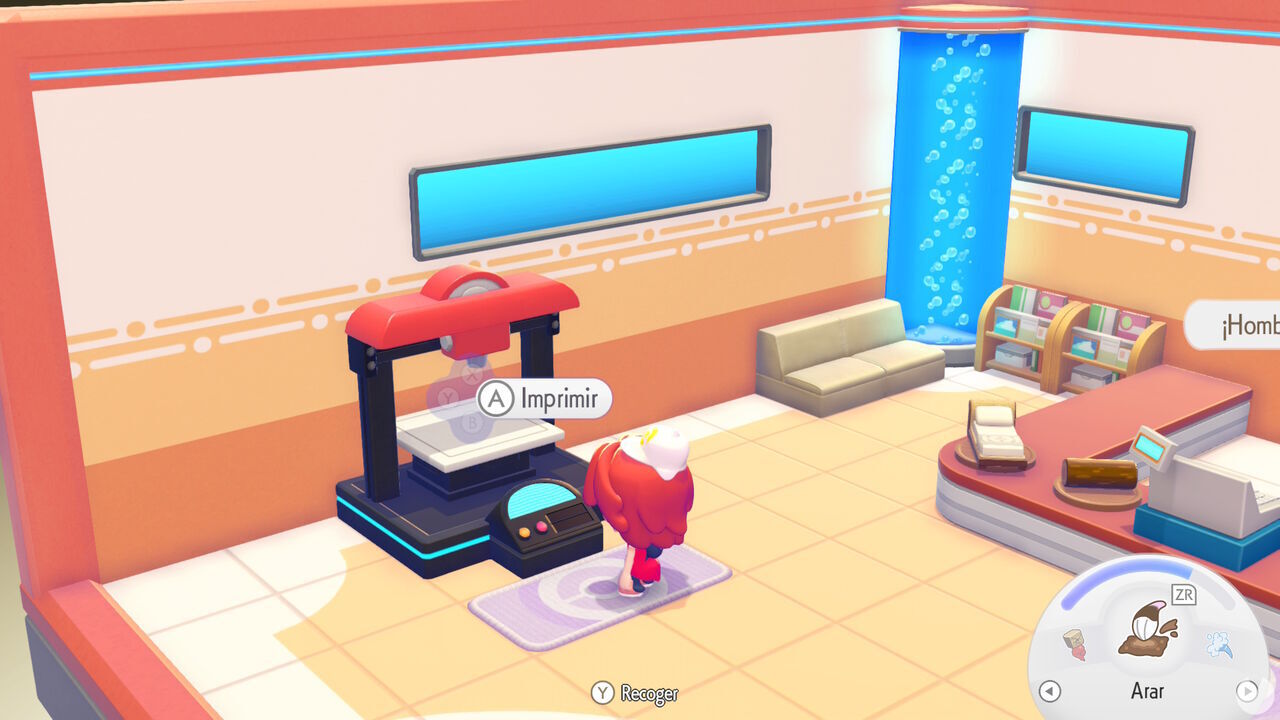
After rebuilding a Pokémon Center, head inside and you'll always find a 3D Printer on the left-hand side, ready to use. The electricity in these centers is always on, so you can use the printer straight away.
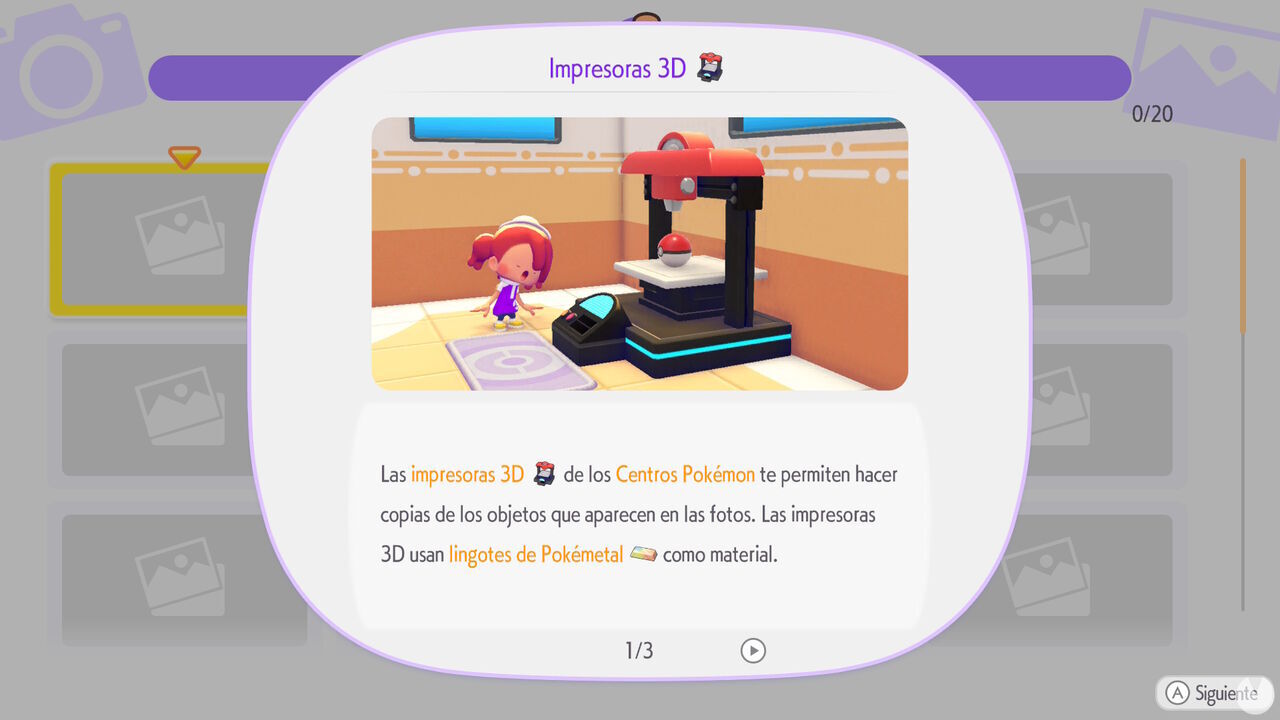
How to duplicate items with 3D Printers
All 3D Printers in Pokémon Pokopia work in the same way. By interacting with one, you can use reference photos you've previously taken of an item to create duplicates with the printer.
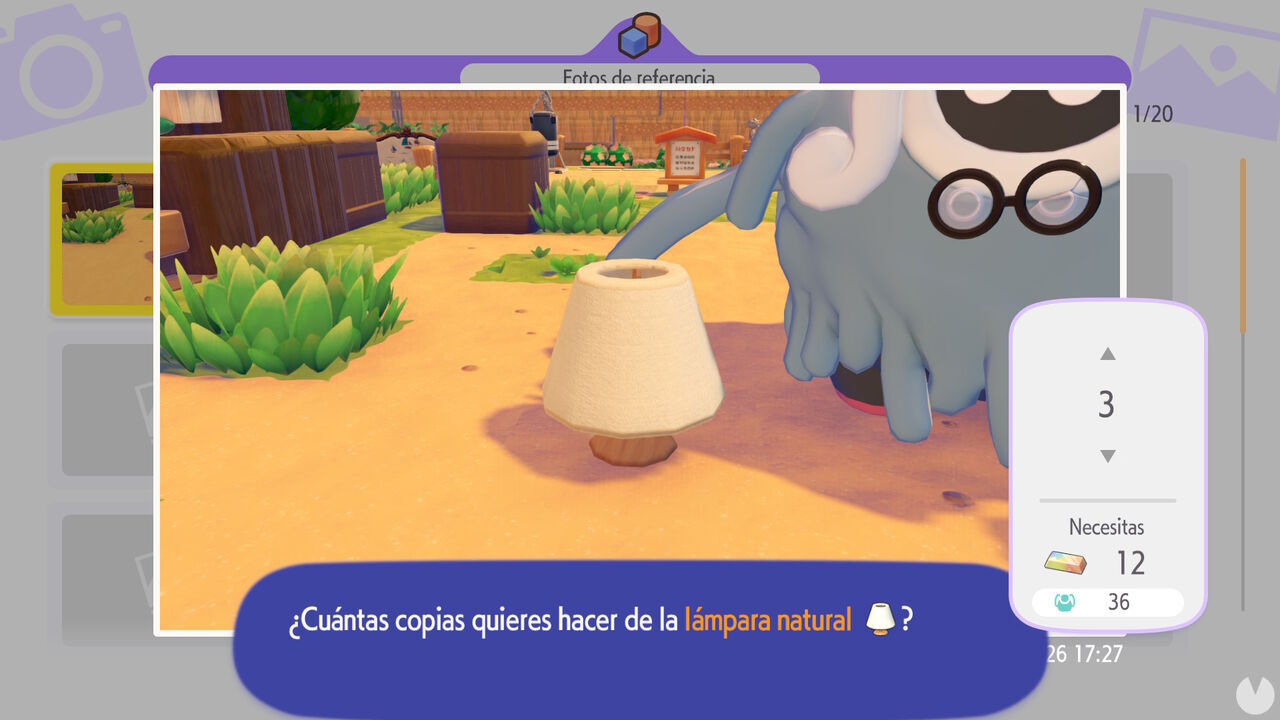
There is no limit to the number of items you can duplicate this way, but each copy does have a material cost. Depending on the item, you may need to spend different amounts of Pokémetal or Rare Pokémetal to create a copy. Naturally, rarer items will generally cost more to print.
To take a photo of an item you want to duplicate, press the "−" Button on your controller to open the camera. Then press the Y Button to switch to Reference Mode, which allows you to focus on individual items. The item's name will appear above it when it is properly in frame.
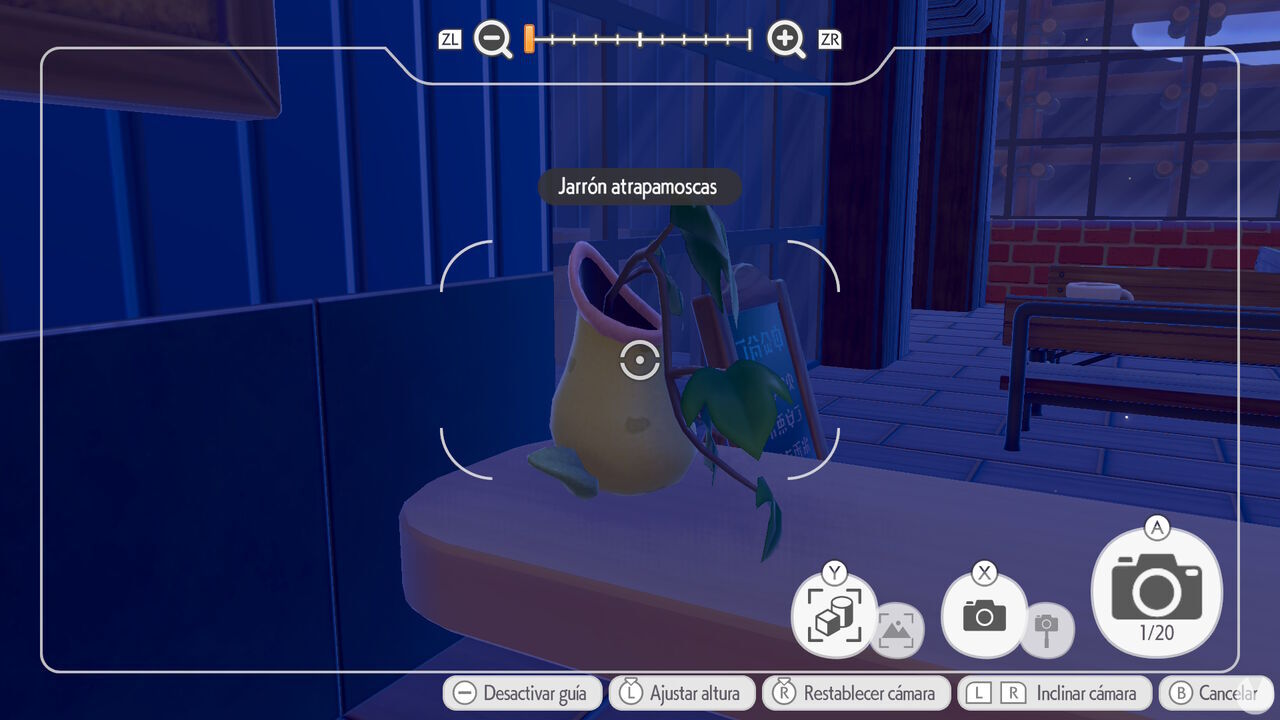
Take the photo and then visit a 3D Printer. You'll be able to choose the picture from the album menu and select the number of copies you want to print of that particular item.
This is a great way to duplicate items you come across in the world but don't yet have the crafting recipes for. It can be especially useful when creating certain Pokémon habitats. The good news is that you can also take reference photos while visiting multiplayer islands and print those items once you return to your own world. This means that if a friend has an item you don't, this method makes it easy to add it to your collection.
To create the Mermaid’s Gym habitat in Pokémon Pokopia DLC 1: Bubbly Basin, you need six types of Decorative Poké Balls. Find out where to get them all.
Discover all the new Large Marine Lost Relics available exclusively in Pokémon Pokopia DLC 1: Bubbly Basin, including what they are and how to get them!
Learn how to unlock the Starmie Doll in Pokémon Pokopia DLC 1: Bubbly Basin, visit Basin Dream Island, and discover the materials and secrets hidden there.
Learn the exclusive method to find Phione and register it in the Pokédex, one of the two Mythical Pokémon featured in Bubbly Basin, Pokémon Pokopia’s first DLC.
These are the methods you can use to make Pokémon more comfortable in Pokémon Pokopia, increase their overall Comfort Level, and improve your Environment Quality.
Wondering whether Pokémon Pokopia is also playable on the original Nintendo Switch? Here, we explain whether the game is a Switch 2 exclusive and cover all the details.
A download card confirms that Pokémon Pokopia, the new life sim set in the Pokémon universe, won't take up much storage space on Switch 2 despite launching on a game-key card.
Discover all the redeemable codes and free gifts available in Pokémon Pokopia that you can claim in your game for special rewards via the Mystery Gift feature.
Discover all the details about Pokémon Pokopia’s special Jirachi event, including its dates and times, how to get this Mythical Pokémon, its habitat, item sets, and how to complete wishes.
Discover all the details about Pokémon Pokopia’s special Sableye event, including its dates and times, how to get Sableye, its habitat, unique shop items, and more.
Discover all the details about Pokémon Pokopia's More Spores for Hoppip event, including its dates and times, exclusive Pokémon, unique item set, and more.
Discover all the special bonuses and beneficial effects you can activate by offering different foods to Mosslax in Pokémon Pokopia and using its Eat Specialty.
Check out the complete list of foods and edible ingredients available in Pokémon Pokopia, their associated flavors, and which Pokémon species prefer each one.