
You can befriend many of the Pokémon in the Pokédex across the main areas of Pokémon Pokopia. In fact, some Pokémon will only visit certain habitats if you create them in a specific area of the game. However, that does not mean you cannot take them to other biomes. If you have only recently started playing, you may not know whether it is possible to move Pokémon to another area. In this entry in our guide, we explain how to do it, although it is actually very easy...
In case you were wondering, all Pokémon can be moved between areas in Pokémon Pokopia without any restrictions or problems. For example, even if you discover Pichu in the Barren Badlands—the only area in the game where this species can appear—that does not mean it has to remain in that biome.
However, it is worth noting that certain Pokémon may temporarily refuse to move to another area. This only happens if that Pokémon has a current or upcoming request connected to its present area. You will need to complete the request before following the process explained below.
With that in mind, Pokémon Pokopia allows you to move Pokémon between areas however you like. You simply need to follow these steps:
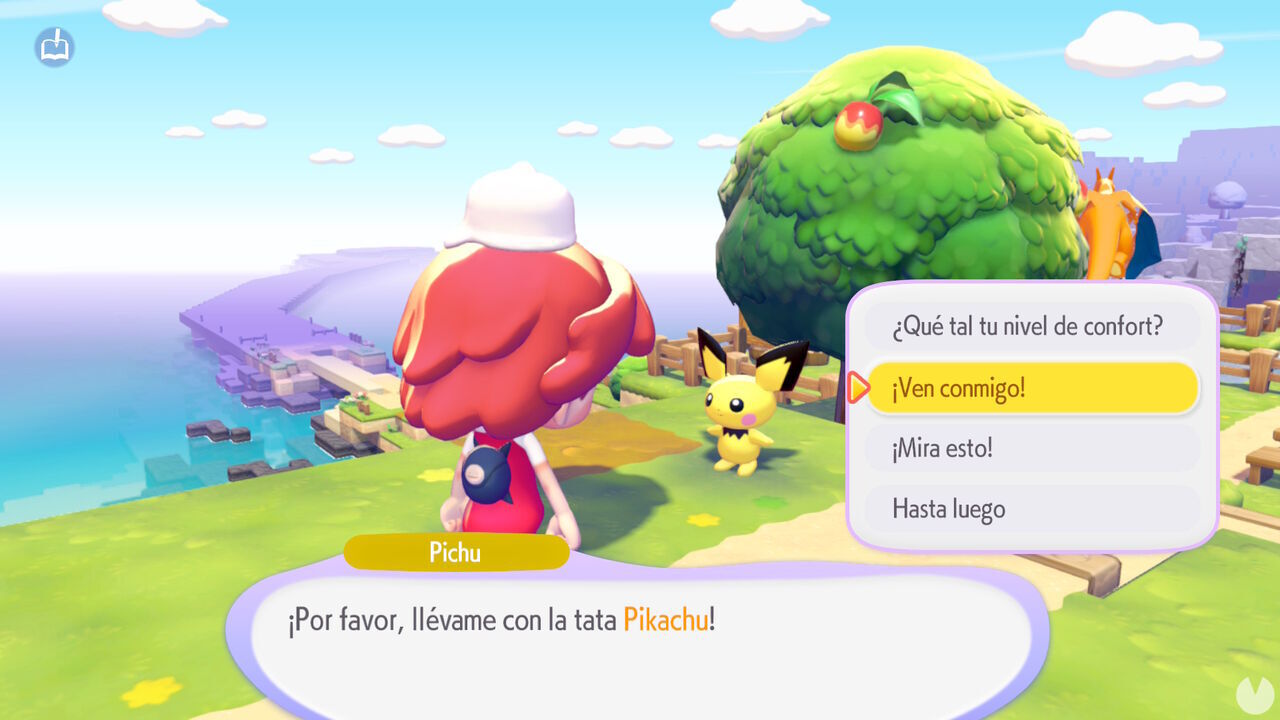
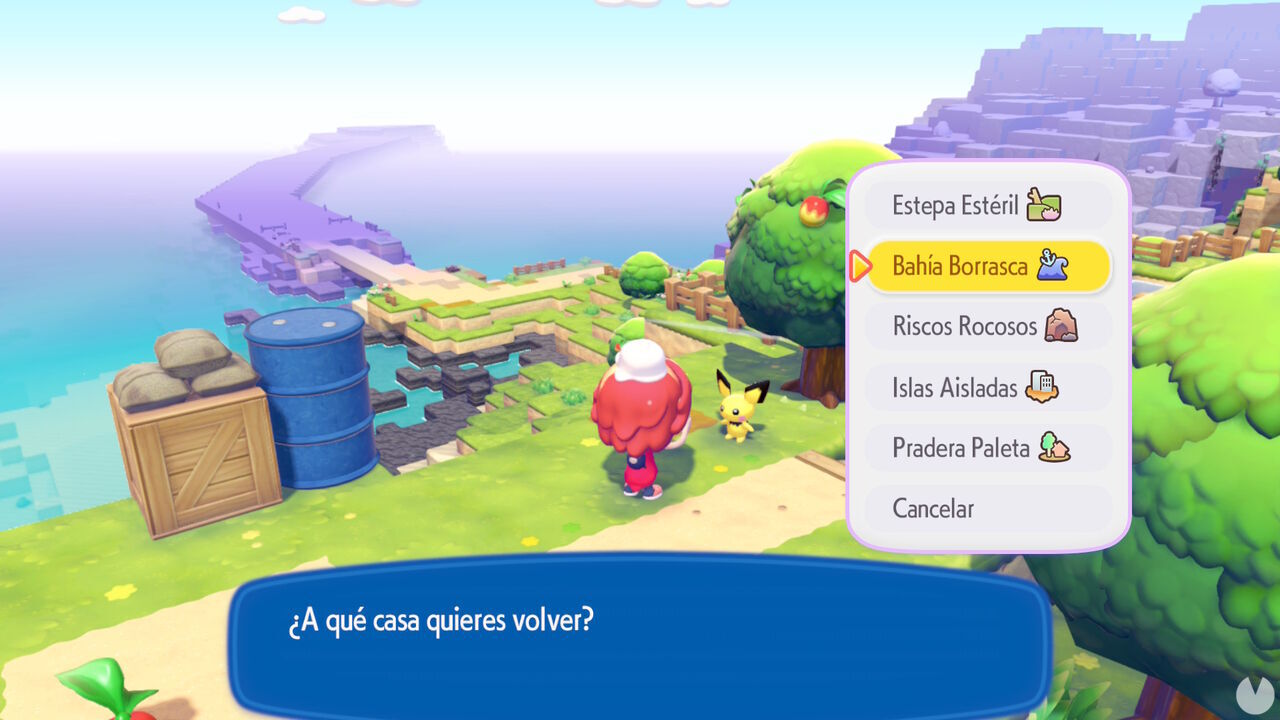
When you use the fast travel system to visit another area this way, any Pokémon currently following you will travel with you. Remember that before you can fast travel using this method, you must have set up a home for Ditto in each main area. You can also travel with more than one Pokémon following you at a time, up to a maximum of five.
Once you arrive in the other area with the Pokémon, you may want it to live there permanently. To do so, take it to an available habitat or a house with enough room. Once you are standing beside the habitat or home, talk to the Pokémon again and select the "Would you like to move here?" dialogue option.
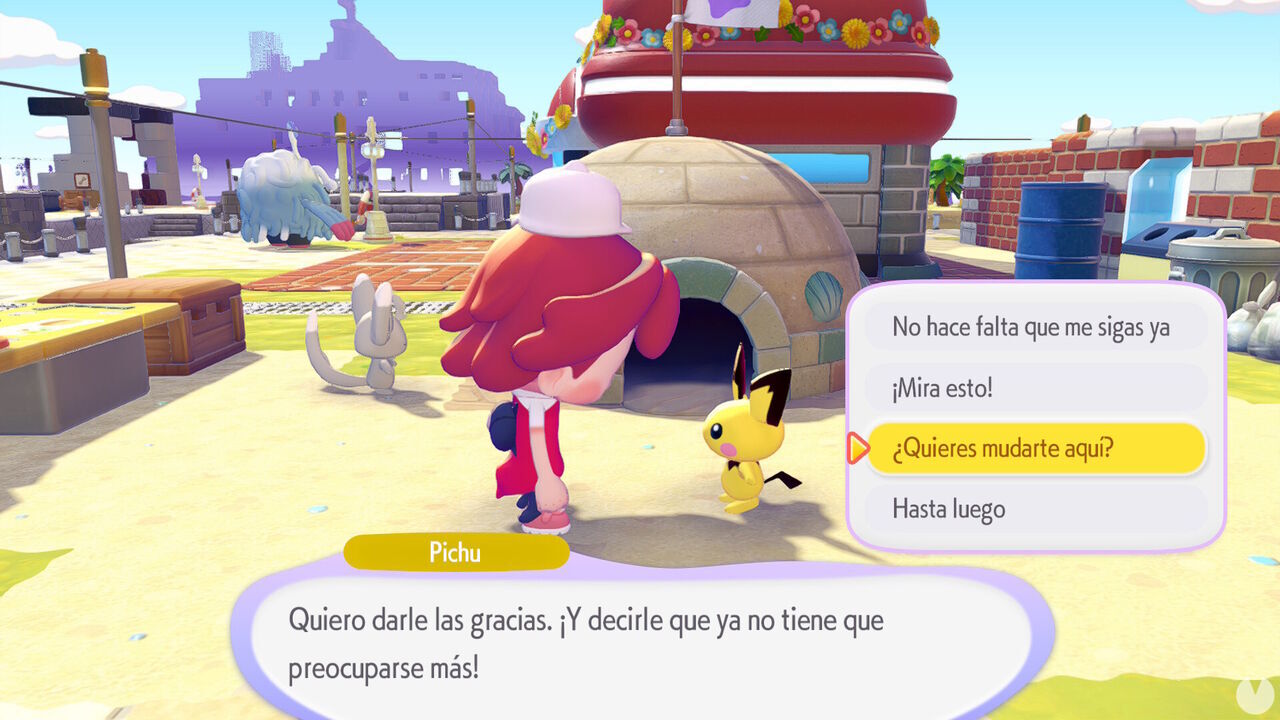
If the habitat or house meets the necessary requirements, the Pokémon will happily move there, and from then on it will be available in this new area. As you can see, the process is simple and works with any Pokémon, including any Legendary and Mythical Pokémon you unlock.
Just bear in mind that a Pokémon's Comfort Level may change when it moves to a different area, which can also affect the area's Environment Quality. Aside from that, you are free to keep whichever Pokémon you like in any area. They do not have to remain wherever you first discovered them.
