
Pokémon Champions lets you battle friends from anywhere in the world through its online Private Battles game mode. So, if you have a friend you would like to challenge, you will probably want to know how to add friends in this free-to-play game and how to invite them to a room. In this section of our guide, we will walk you through the steps required to do both.
To add friends to your Pokémon Champions account, first launch the game and select the "Sub Menu" button from the main menu. When the screen containing additional options opens, enter the section titled "Friends":
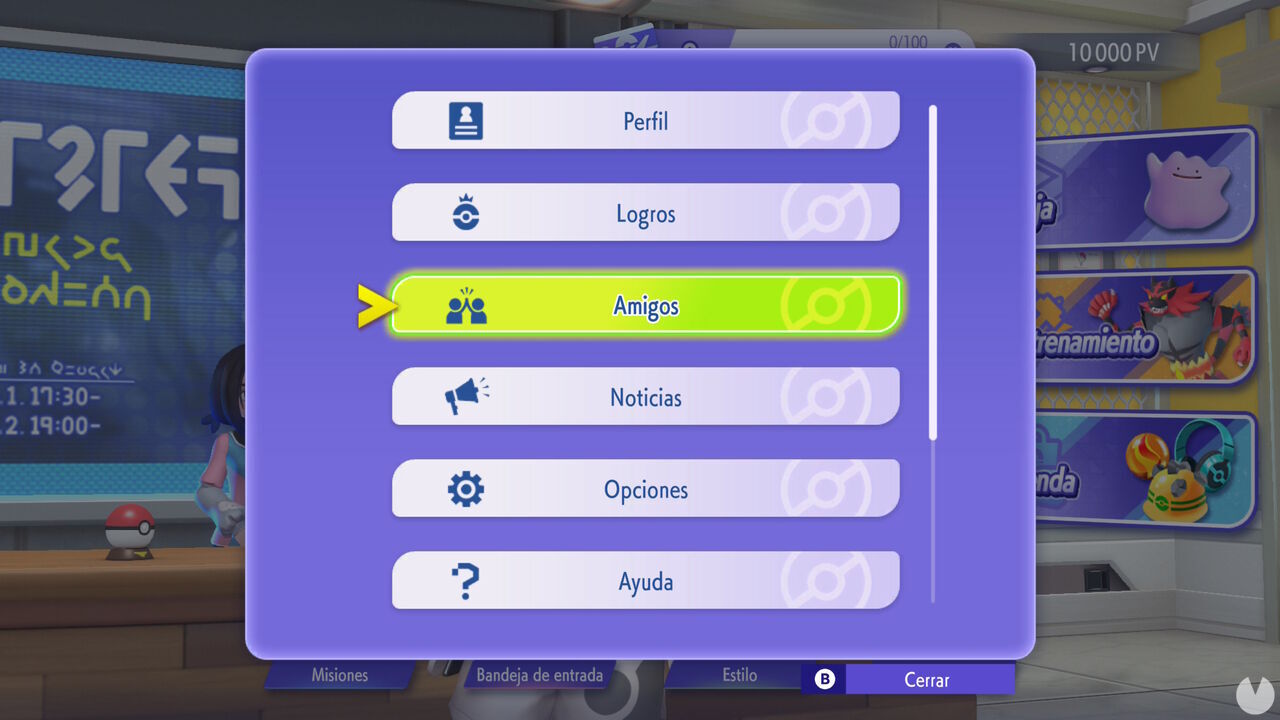
Bear in mind that if you play Pokémon Champions on a Nintendo Switch console, your existing Switch friend list will not automatically be available in the game. This means that you will have to add your friends again before they appear in Pokémon Champions.
With that said, opening the "Friends" menu will display your friend list, which is empty by default. To add someone, simply open the "Friend Requests" section and enter the Trainer ID of the friend you want to add in the blank field.
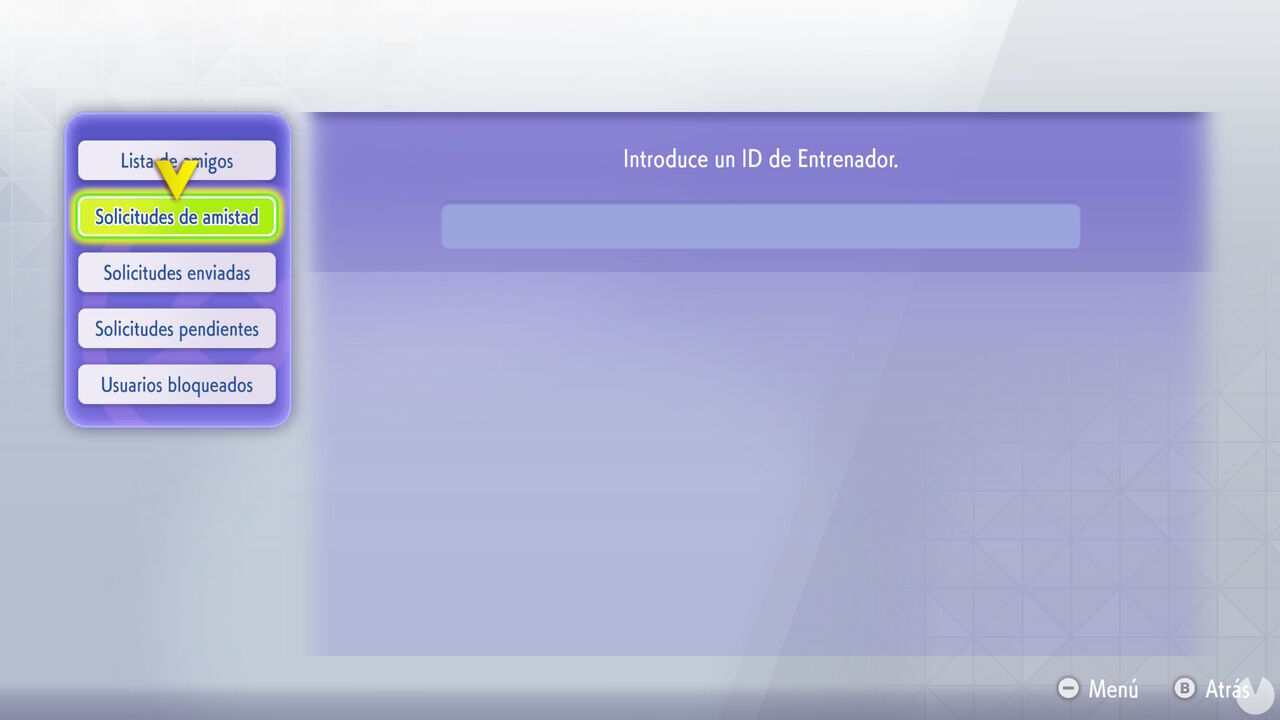
Naturally, your friend will need to tell you their ID before you can send them a request. You can easily check your own Trainer ID by opening your profile, which can also be accessed from the Sub Menu.
Once you have sent the request and your friend has accepted it, they will be permanently added to your friend list.
To play against your friends in Pokémon Champions, simply open the Battles menu and select "Private Battles". From there, you can create a room with your preferred rules and regulations for either Single Battles or Double Battles:
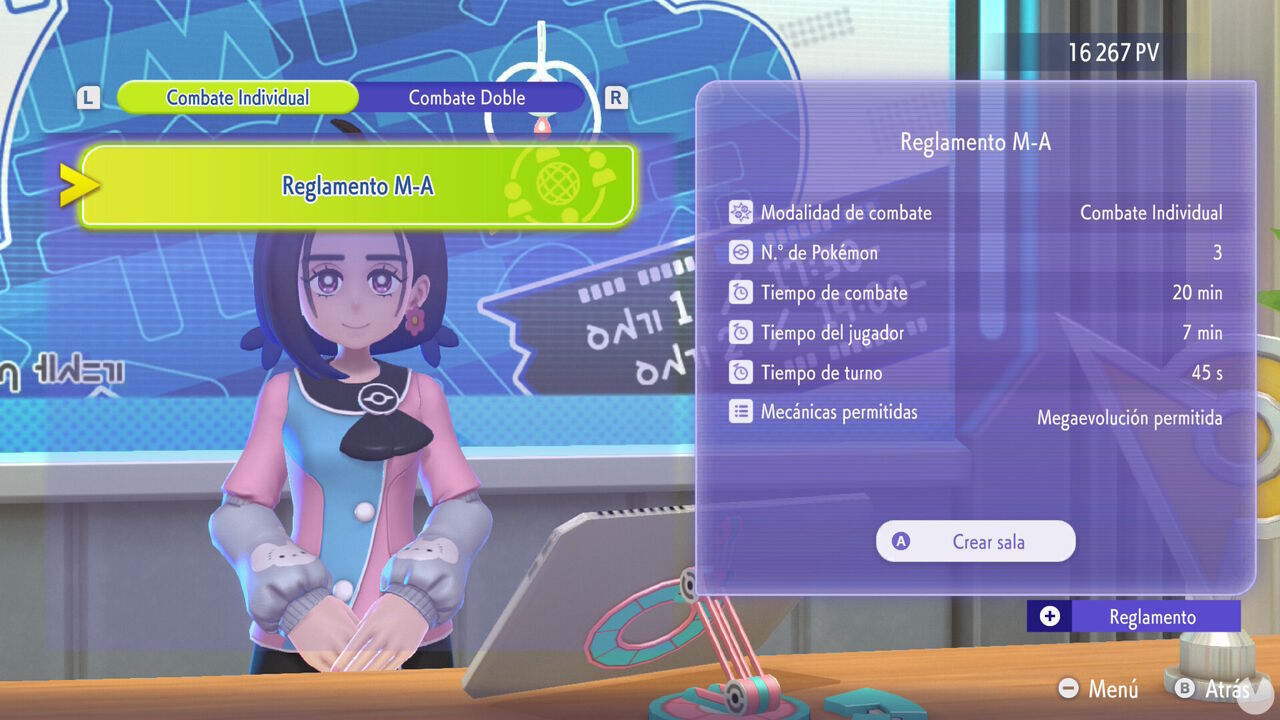
After creating the private room, you can invite up to 12 participants in total, including yourself. You can directly invite anyone already on your friend list. Alternatively, you can view the Room ID in the bottom-right corner and share it with your friends so that they can join using the code.
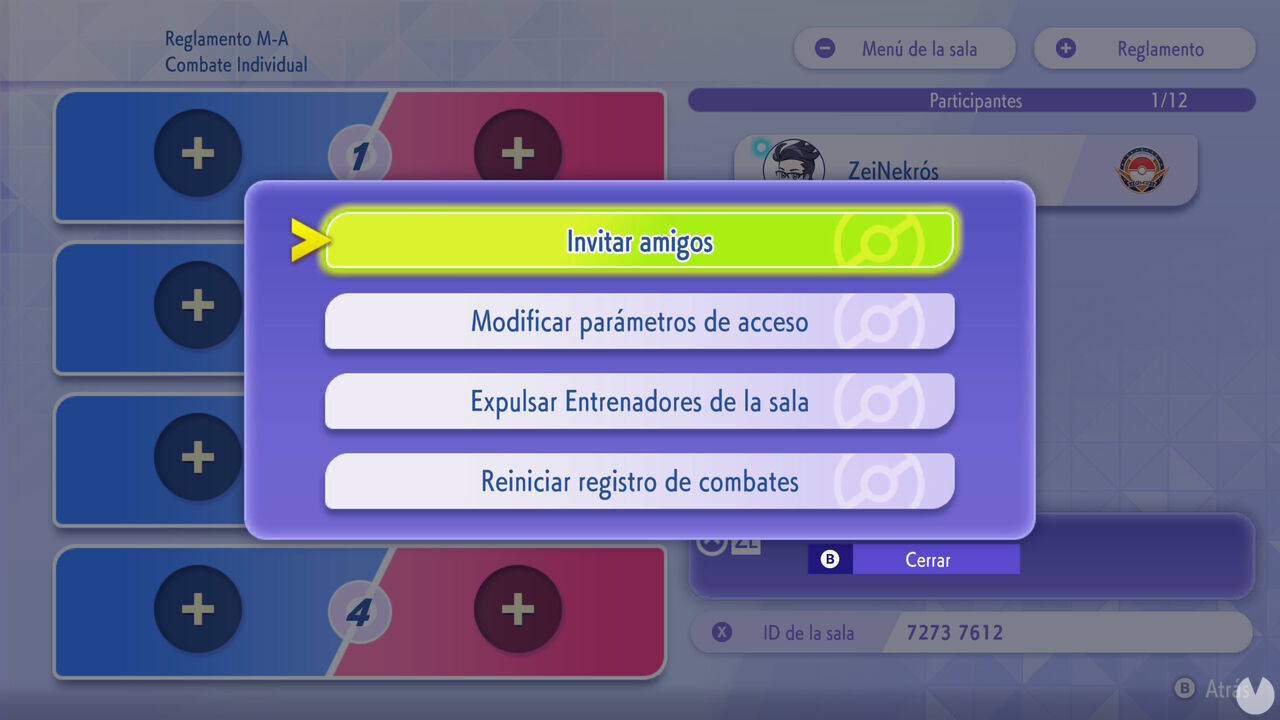
Inside the room, you can arrange the matchups for the different battles and choose the Pokémon team you want to use. That is really all there is to it.
Unfortunately, Pokémon Champions does not let you play 6v6 battles, despite this being a popular format among many fans of the series. Battles are limited to 1v1 when playing Single Battles or 2v2 when playing Double Battles.
