

Palworld fever has swept across the globe, turning the game into one of the biggest gaming sensations of early 2024. With millions of copies sold in its first few days and an impressive record for concurrent players on Steam, this survival game looks set to remain hugely popular over the coming weeks. In fact, the sheer number of players has already caused unexpected crashes and server outages since its launch.
In this section of our guide, we'll show you how to check the live status of Palworld's servers to find out whether there are any online issues or if everything is working properly and you can play without any problems.
If you want to check the status of Palworld's servers in real time, you can visit the official Palworld Server Status page.
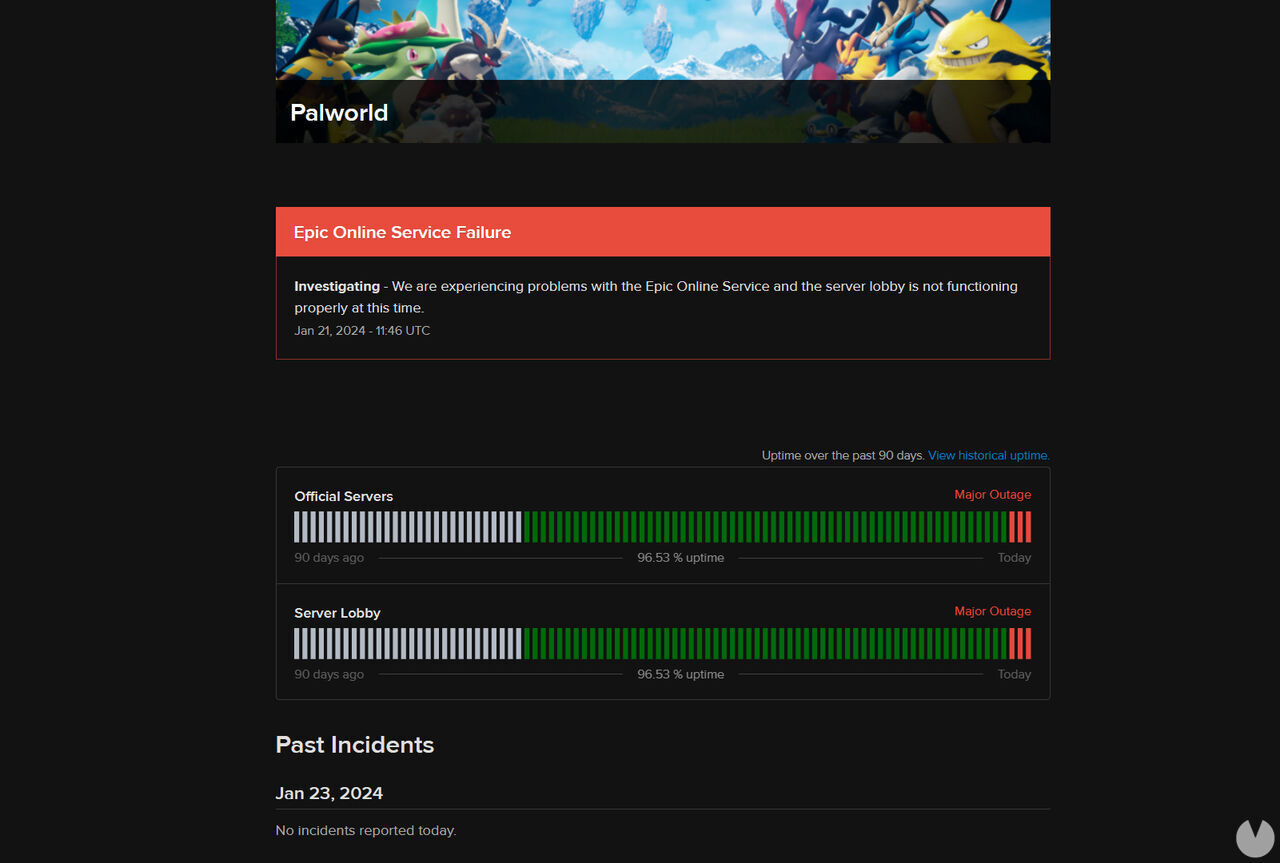
This useful website allows you to keep track of the servers at all times, as it reports the most important errors, technical issues and outages as soon as they occur.
You can also check the game's historical server uptime to see the percentage of players currently connected and find out whether there have been any recent outages.
If the website we've shown you isn't enough and you want to stay even more up to date with everything happening on Palworld's servers, we recommend keeping a close eye on the following official pages:
We are currently working hard to resolve the server outages and other serious issues that are occurring for some players.
We apologize for any inconvenience caused.
As soon as there is further news, we will send it out on X and our official Discord. https://t.co/1ZgXfRUdAd
— Palworld (@Palworld_EN) January 21, 2024
The game and its developers will often use these channels to report server problems that prevent them from working properly, as well as to let players know when everything has returned to normal.
Remember that server issues only affect Palworld's multiplayer games. Playing solo will always spare you from these frustrating outages. Alternatively, if you're comfortable with this sort of thing, you can create and configure your own dedicated server so you don't have to rely on external ones.
