
The more you play Palworld, the more of its vast world you will be able to explore, and you will gradually discover dozens of possibilities wherever you go. After playing for a few hours, you may no longer be entirely happy with the location of your first base or might want to build another base in a new location. However, you may not yet be able to have more than one if you have not reached the required level. At that point, you might wonder whether it is possible to relocate a base you have already built. In this section of our guide, we will explain whether this is possible and what restrictions the game places on doing so.
Technically, Palworld does not allow you to move or transfer an entire base to another part of the map exactly as it is. However, you can still relocate your base without losing the resources you invested in it.
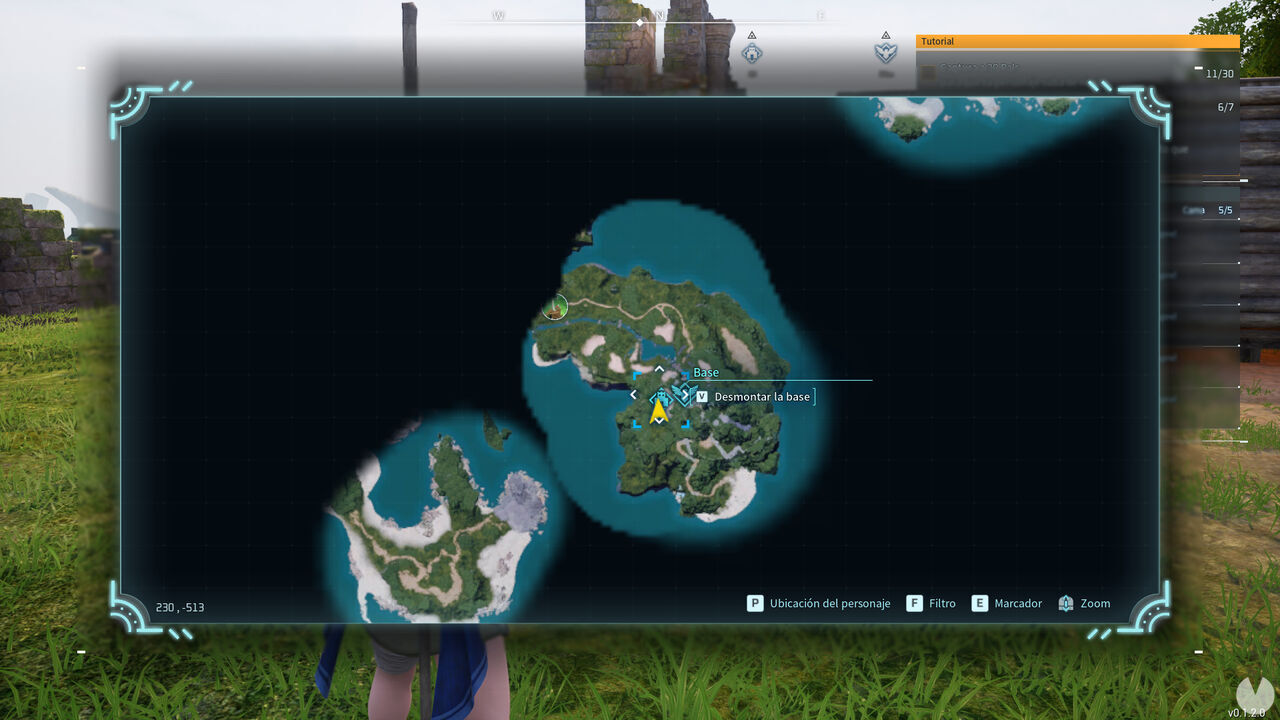
You can do this using the "Dismantle Palbox" option. Open the world map and place the cursor directly over your base icon. Press the V key by default on PC (or the equivalent button on consoles), and a pop-up message will appear asking whether you want to dismantle the base.
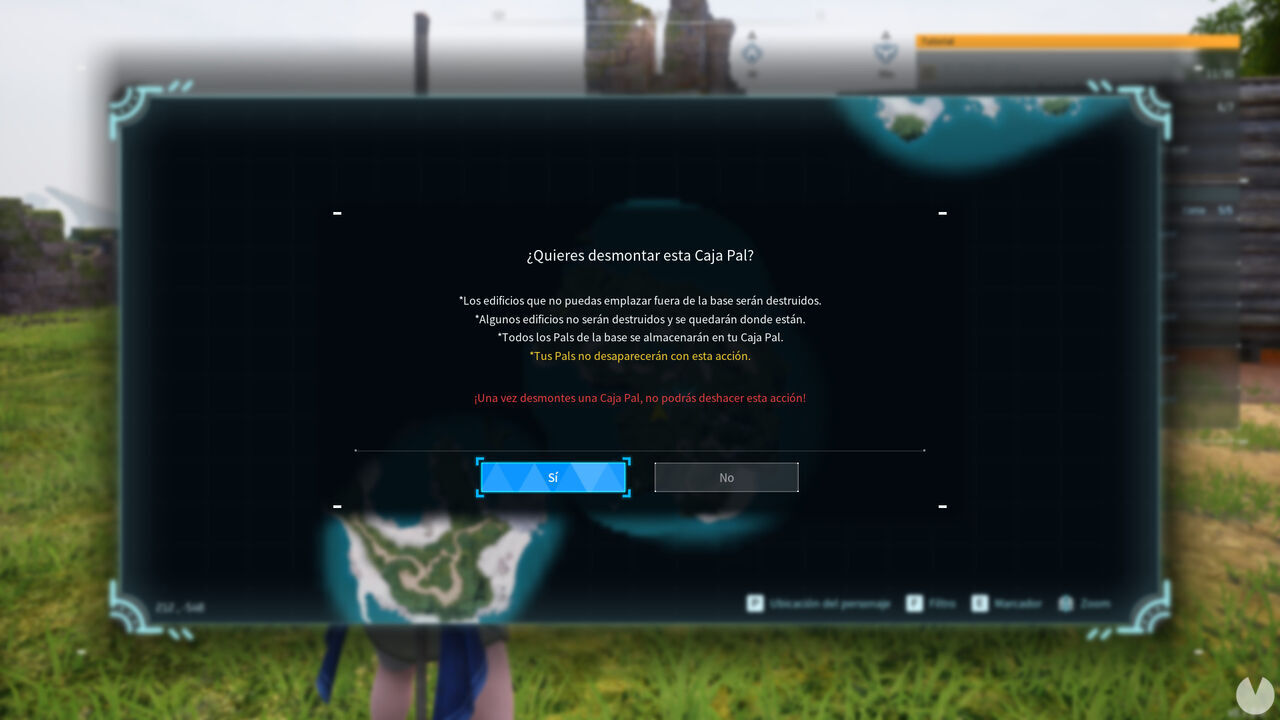
If you choose to dismantle the base, you should keep the following details in mind:
After dismantling your Palbox, you can travel anywhere else in the world and build it again. The downside is that structures associated with Pal jobs, such as Egg Incubators and Ranches, will be destroyed and permanently lost.
However, if you have built houses or workbenches, these will not be destroyed. You could rebuild a Palbox in the same area and continue using them. Alternatively, you can also manually dismantle these structures to recover the resources you used to build them.
Either way, the base's Pals will not be lost, and you will still have them stored in the Palbox, which is what matters most. The choice is yours. Remember that by upgrading your base level, you will eventually unlock the ability to build more than one base in your game, which may be a better option than dismantling a Palbox.
