

You may also be interested in:
Palworld, Pocketpair's popular multiplayer survival game from early 2024, is packed with content. As is often the case with games of this kind, players using the PC version (Steam) can enable a command console and enter a wide range of cheats to have fun with friends or change certain aspects of the game.
If you've reached this section of our guide because you want to learn more, read on as we'll show you step by step how to enable Palworld's command console and provide you with the complete list of cheats you can use to modify the game however you like.
To enter cheats and commands in your Palworld game, you first need to enable the command console. This is only possible if you're playing on a Palworld dedicated server and have admin permissions. At least when the game first launched in early access, only server administrators could enter commands during a game.
You can have admin permissions if you're playing on a server you created and host yourself, in which case you should already have administrator permissions by default. If you're playing on a friend's dedicated server or one hosted by an external service, you'll need to know the server password and enter it in the in-game chat window by typing the following:
Replace "PASSWORD" with the server's actual password. After entering it, you should receive a notification confirming that you now have administrator permissions.
Below, you'll find the complete list of console commands and cheats available to Palworld server administrators:
Remember that these commands are only available if you have administrator permissions. More commands may be added to the list in the future as the game's development continues.
It is worth noting that, at least at the time of writing, the game does not yet have a command for unbanning players. If you want to reverse a ban, you'll need to edit the file "Pal/Saved/SaveGames/banlist.txt" in the Palworld folders and manually delete the Steam IDs of the users you want to unban.
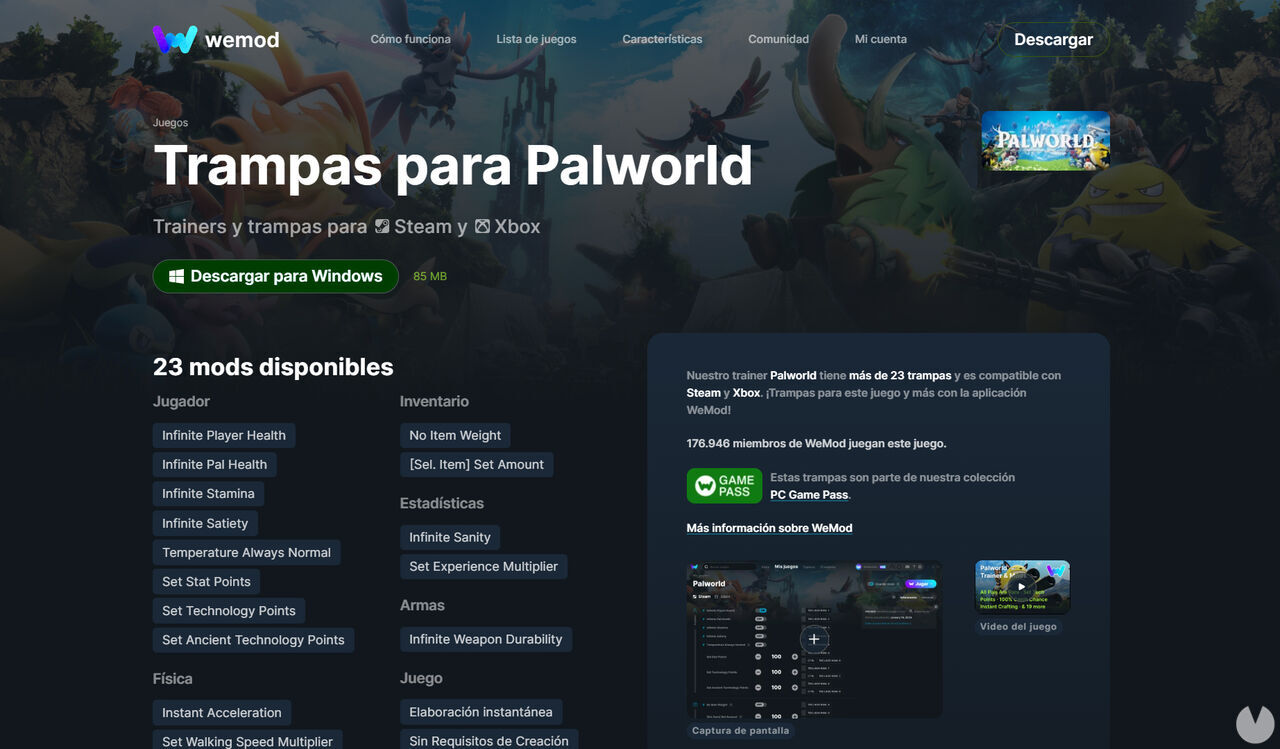
Since Palworld's early-access launch, several third-party programs have become available that let you modify the game with special cheats such as infinite health, infinite weapon durability, instant crafting, and more. These mods only work with Palworld's PC version on Steam and are neither official nor provided by the game's developers, so bear in mind that they could cause your game to freeze or make you lose your progress.
Even so, if you're interested in enabling cheats, you can, for example, download the WeMod tool from this official link. The program is free, although it also offers a premium subscription, and lets you modify your game by enabling and disabling various cheats or the commands mentioned above.
To install and use WeMod cheats, follow these steps:
Below, you'll find a list of more than 20 available cheats that you can enable in Palworld using the WeMod tool. We're sure that even more will be added over time:
General game cheats:
Player cheats:
Physics cheats:
Inventory cheats:
Weapon cheats:
Stat cheats:
