
There’s probably no worse nightmare for a Free Fire player than losing access to their account, whether it has been stolen or you’ve simply forgotten your password. Nobody wants to lose their progress and unlocked cosmetics, so in this article from our complete guide, we’ll explain what you can do to recover your account through the official channels as easily as possible.
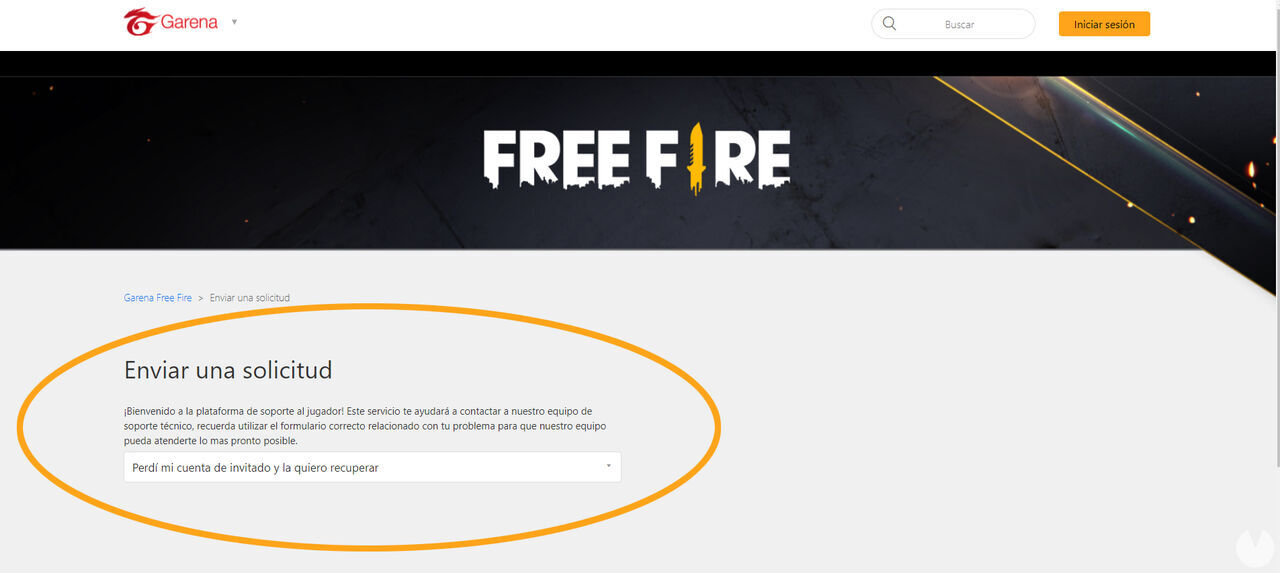
If you’ve lost access to your Free Fire account and it was a guest account with an ID—in other words, it wasn’t linked to a social media account—you can follow these steps to recover it:
A form will then load for you to fill in your account details. The more information you provide, the easier it will be for a member of Garena’s support team to help you recover your account. Your request may be rejected if you don’t provide enough accurate information, so make sure you include as many details as possible.
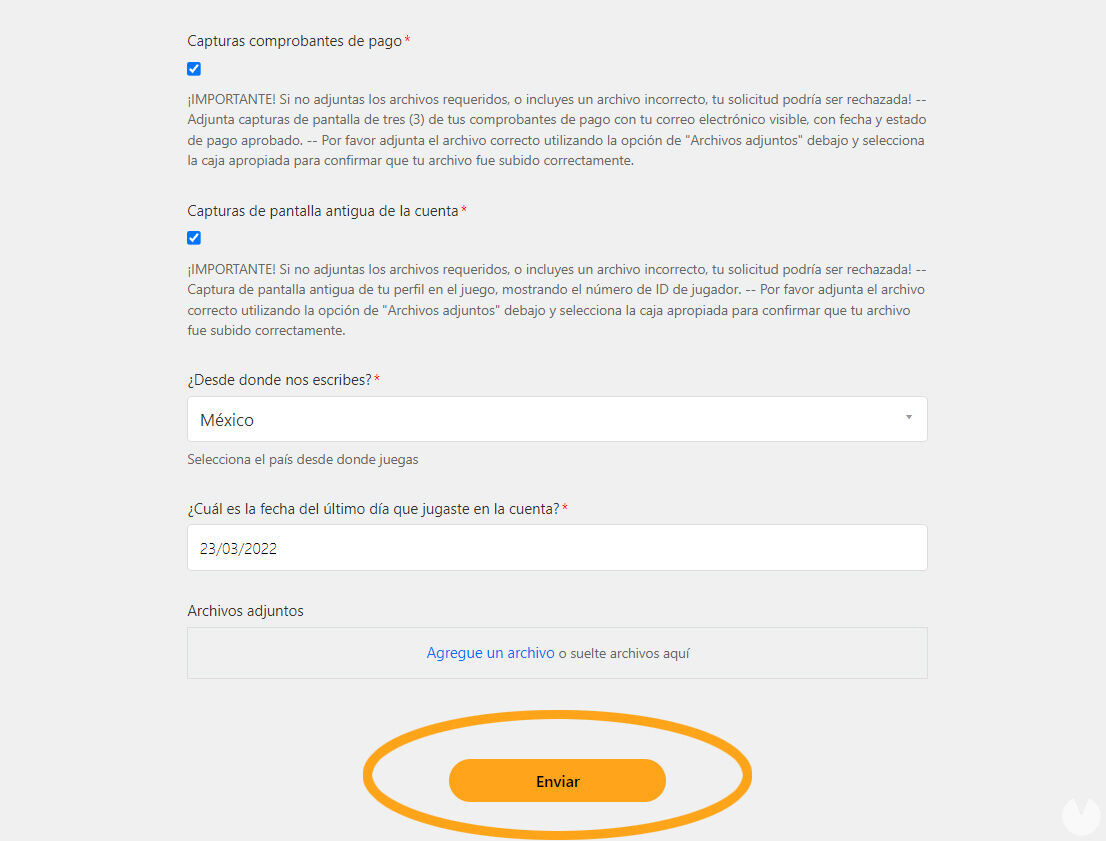
Once you’ve submitted the form, all that’s left to do is wait for Garena to get back to you with more information. Good luck!
Most Free Fire accounts are linked to a social media account. If you lose access to yours, you’ll need to contact the customer support team for the corresponding platform. Here are the links you’ll need depending on the account you used to log in to Free Fire:
If you’re having trouble signing in to one of these accounts, you’ll need to contact its customer support team and follow the instructions provided on the corresponding website. Once you recover your social media account, you’ll also regain access to your Free Fire account. This is the only way to do it, as Garena cannot change the login method linked to your account.
Managing the accounts linked to Free Fire is also the player’s responsibility, so you should always be familiar with each platform’s terms and conditions to avoid problems in the future.
There are probably plenty of Free Fire players reading this article because they’ve lost access to their account after being banned or suspended by Garena. Unfortunately, we have bad news for you. According to Garena’s anti-cheat policy, none of the following is allowed:
If you’ve used cheats and your account has been penalized with a ban or suspension, you should know that there is no way to recover your account.
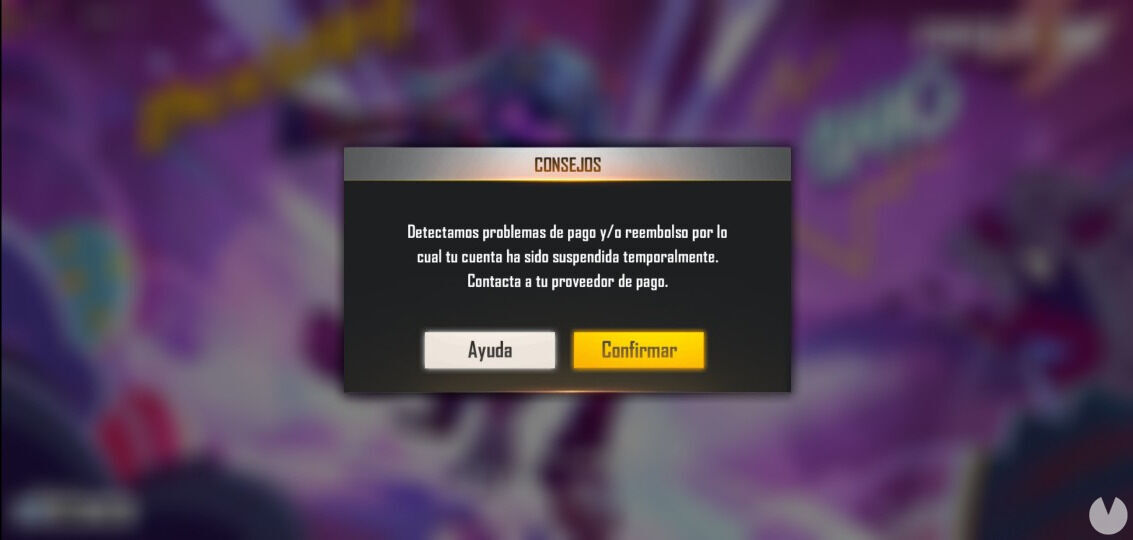
The only exception is when an account has been suspended for an "Improper Refund (Chargeback)". In this situation, the player can settle the outstanding balance to reactivate the account. This type of suspension occurs when a purchase is made but the payment isn’t completed correctly. You can read this official article for more information. All other suspensions cannot be reversed.
