Free Fire: How to Download for Free on Android and iOS
Learn how to download Free Fire completely free on Android and iOS devices. Enjoy Garena’s popular battle royale game by following just a few simple installation steps!
Free Fire is a free-to-play battle royale shooter developed by Garena that has been available worldwide since 2018. This popular game can be downloaded completely free of charge on Android and iOS mobile devices. If you're not sure how to install it on your device, this page of our guide walks you through the simple steps you need to follow to download the game on each platform and start playing.
Note: Don't forget to check the minimum requirements first to find out whether your phone is compatible with Free Fire.
How to download Free Fire for free on Android phones
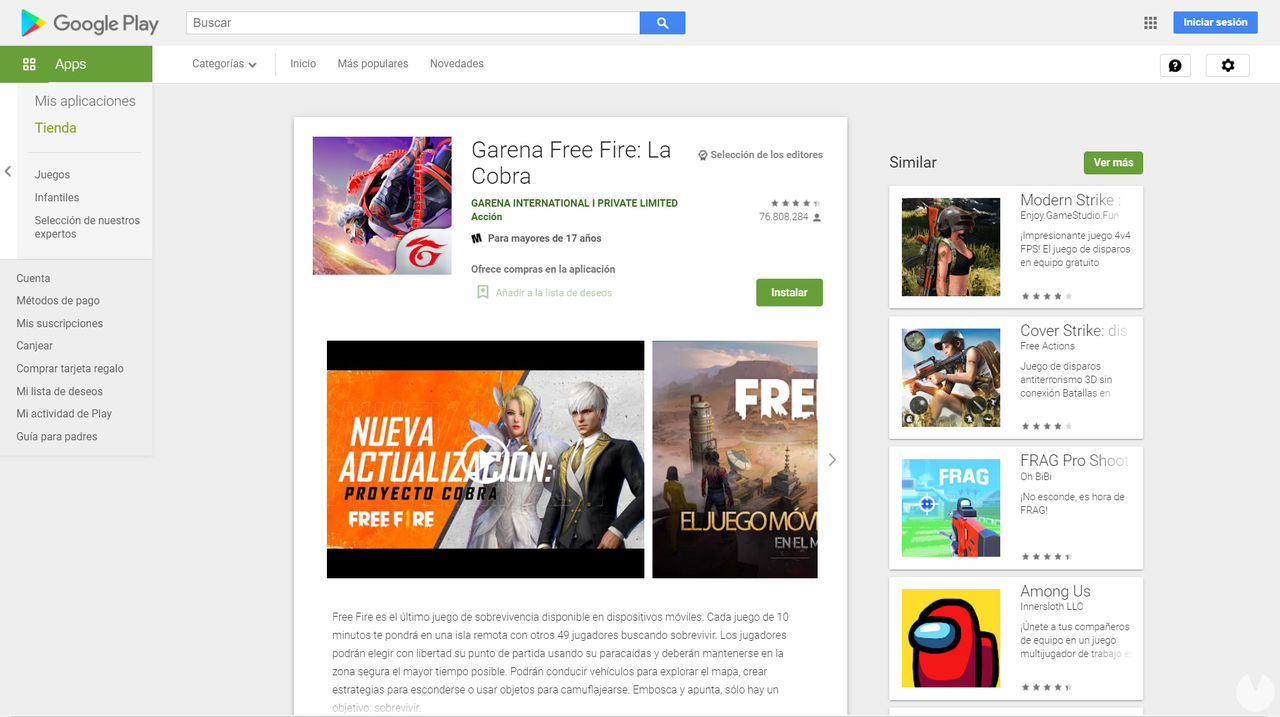
If you have an Android phone, follow these steps to download and install Free Fire for free:
Alternatively, type the name of the game directly into the Google Play search bar.
Once you're on the game's store page, simply tap the "Install" button to begin downloading and installing it on your device. Bear in mind that you'll need enough free storage space to install it. The game app takes up around 814 MB on Android.
How to download Free Fire for free on iOS devices
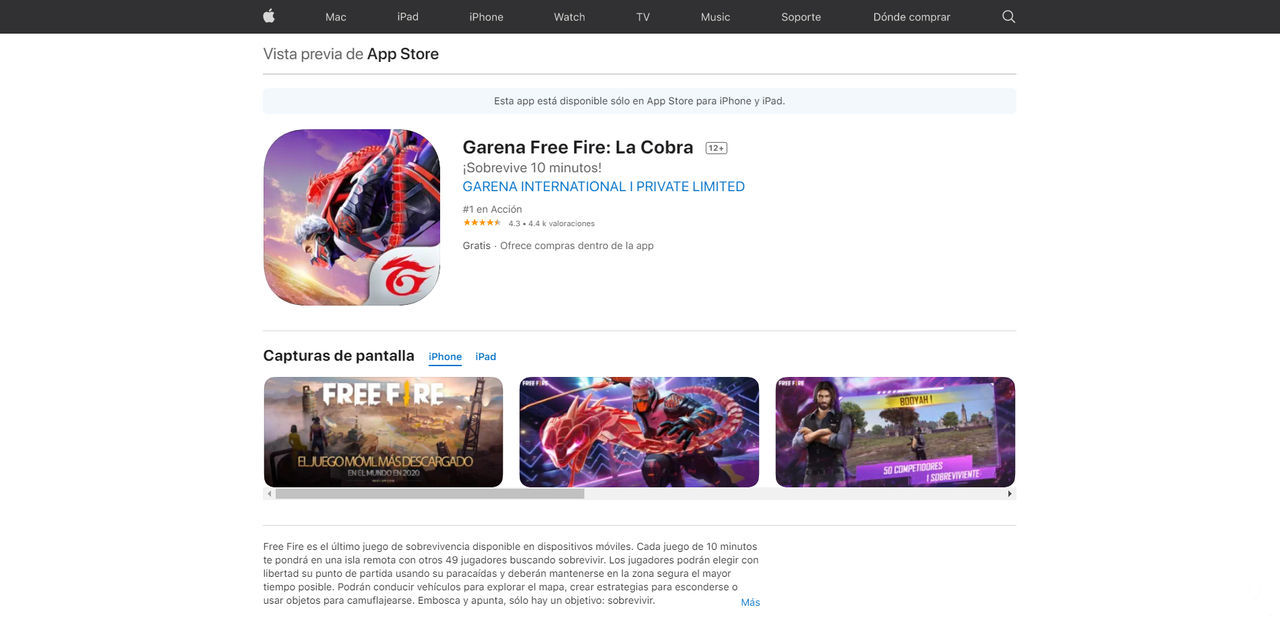
If you have an Apple device running iOS, follow these steps to download Free Fire for free:
Alternatively, type the name of the game directly into the App Store search bar.
Once you're on the game's store page, simply tap the "Get" button to download and install it on your device. Remember that the app requires around 1.6 GB of free space on iOS. It is also compatible with iPad devices.
All compatible mobile devices and the minimum requirements your Android or iOS device must meet to play Free Fire MAX, the enhanced-graphics version of the Battle Royale.
These are the minimum requirements your Android or iOS device must meet to play Free Fire, as well as the compatible smartphone models the game runs on.
(UPDATED!) Here are all the valid promo codes you can redeem today on your Garena Free Fire MAX account. Find out how to use them to get awesome free rewards.
Learn how to contact Garena Support to easily recover your Free Fire account, and find out which anti-cheat policies could cause you to lose access to it.
Learn step by step how to add different colors, country flags, and text styles to your Free Fire bio. Discover all the codes you need to customize your profile exactly the way you like.
Meet every character available in Free Fire, learn about their unique abilities, traits, and backgrounds, and find out how to unlock or purchase each one.
Browse the complete list of weapons available in Free Fire, organized by category. Find out how many there are and check their stats, attributes, and all the key details.
Follow our step-by-step guide to download and play Free Fire or Free Fire MAX for free on Windows and Mac. This completely legal method uses the BlueStacks emulator.
Learn how to get FF Tokens, Rank Tokens, Guild Tokens, and even Revival Tokens in Free Fire. Collect these currencies and exchange them for new items in the store.
Discover a range of tips and tricks to help you play more effectively in Free Fire’s Battle Royale mode. Follow these recommendations and start winning match after match.
Discover every pet available in Free Fire and the unique abilities that can give you an edge in battle. Find your favorites, learn how to unlock them, and see how to upgrade them.