
Your avatar in Roblox is the main character you use to take part in the hundreds of games available on the platform. As such, it represents you within the worlds of this unique game and gives you a way to show other players your personality and interact with them.
In this section of our guide, we'll show you how to customize your Roblox avatar so it always looks exactly the way you want and can show off all the awesome clothes you've obtained from the shop.

To edit your Roblox avatar, the first thing you need to do is sign in to your game account. You can do this from a web browser through the official Roblox website, for example. Once you've signed in, simply follow these easy steps:
This will take you to the Roblox Avatar Editor. Here, you can see your character's current appearance in either 3D or 2D and even switch between two different poses. By default, you'll be in the "Recent" section, which displays all the accessories currently equipped by your avatar.
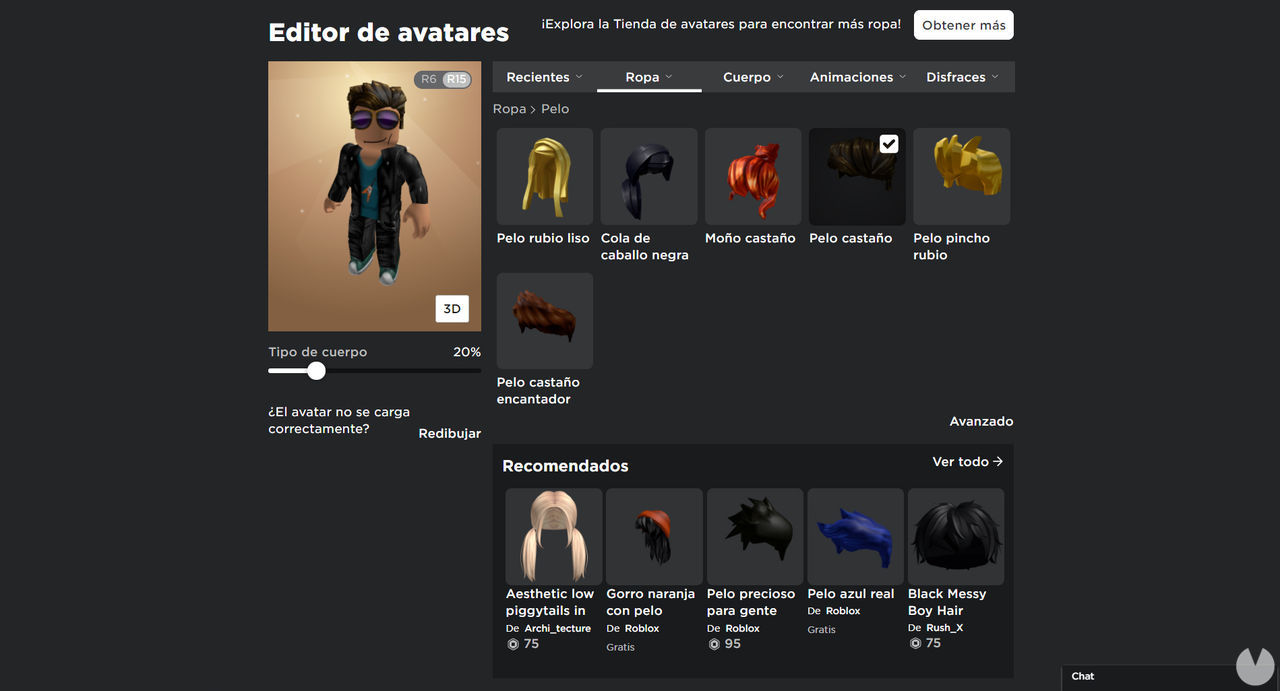
Changing your avatar's clothes is as easy as finding an item you like in the editor and clicking it. A checkmark will appear to show that the item has been equipped. To remove something, simply click the equipped item again to take it off your avatar. Remember that some clothes are layered over others, so you'll need to consider the layer order to avoid covering up items you want to display and to create stylish combinations.
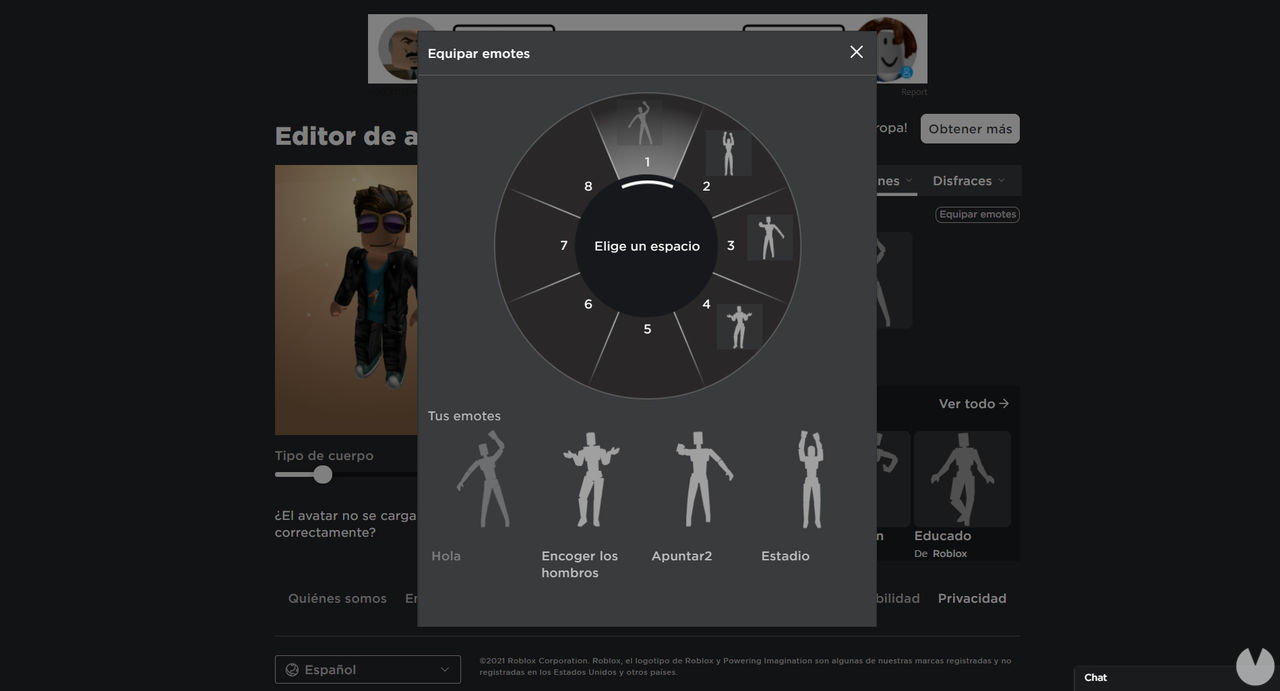
The Avatar Editor contains several menus, including Clothing, Body, Animations, and Costumes. Everything is fairly intuitive. The Body menu even includes options for adjusting features such as the thickness of your avatar's arms, its overall size, and more.
Roblox also allows you to create completely unique and original clothes for your avatar. We have a separate guide explaining how to do this step by step, so be sure to check it out for more details. Bear in mind, however, that designing clothes requires a Roblox Premium account, meaning that you'll need to spend some money to do so.
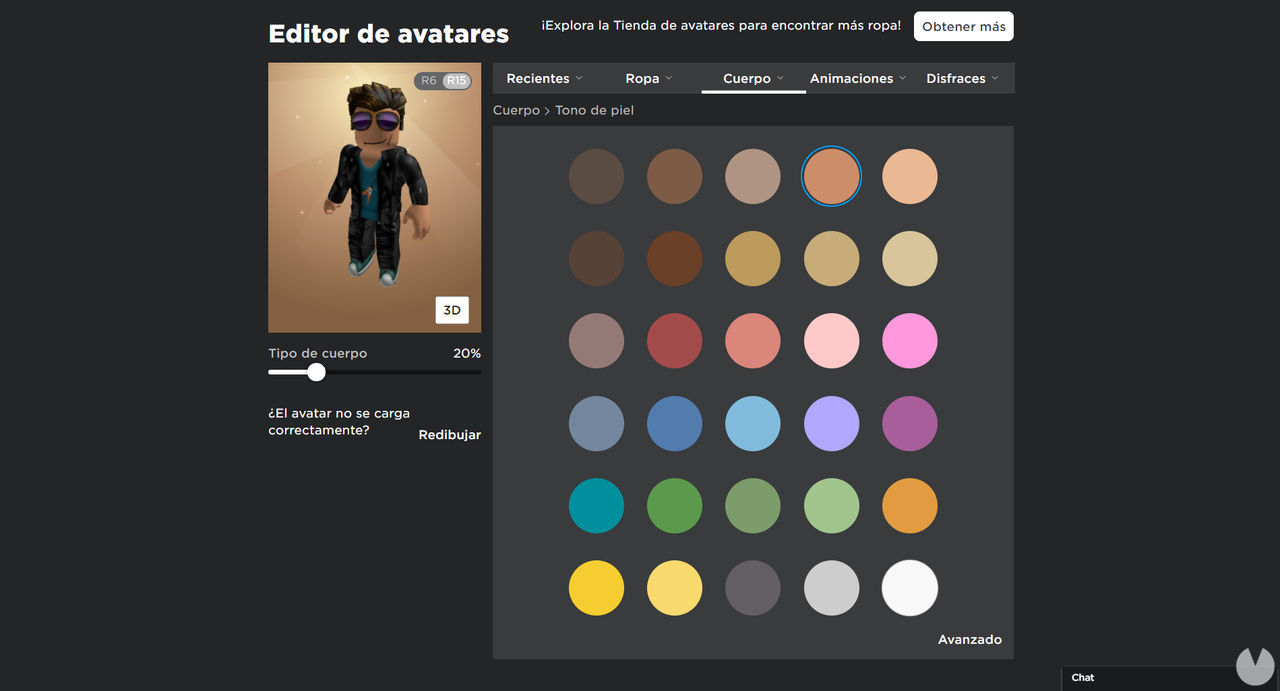
In addition to changing your avatar's clothes in the Roblox Avatar Editor, you can also change your character's skin color. To find this option, follow these steps:
This menu offers a wide range of skin colors for your avatar, including shades such as green, yellow, and blue, allowing you to create a truly original character. If you want even more control, select the "Advanced" option, where you can change the color of individual body parts such as the head, arms, and legs.
Although many clothing items in Roblox must be purchased from the Avatar Shop using Robux, the game's virtual currency, there are also plenty of clothes that you can get completely free without spending any money.
When editing your avatar, the game will recommend items from the shop, including some free options. However, if you want to browse all the free clothing available in the Roblox shop yourself, follow these steps:

You can now add any free items you like to your inventory and then return to the Avatar Editor to equip your character with everything you've obtained.
