
Above all else, Roblox is a social gaming platform where you can meet new people. Making friends is a big part of the experience. Most Roblox games are cooperative or designed to be enjoyed with other players online, so in this section of our guide, we'll show you how to add new friends on Roblox and how to invite them to play your favorite games.
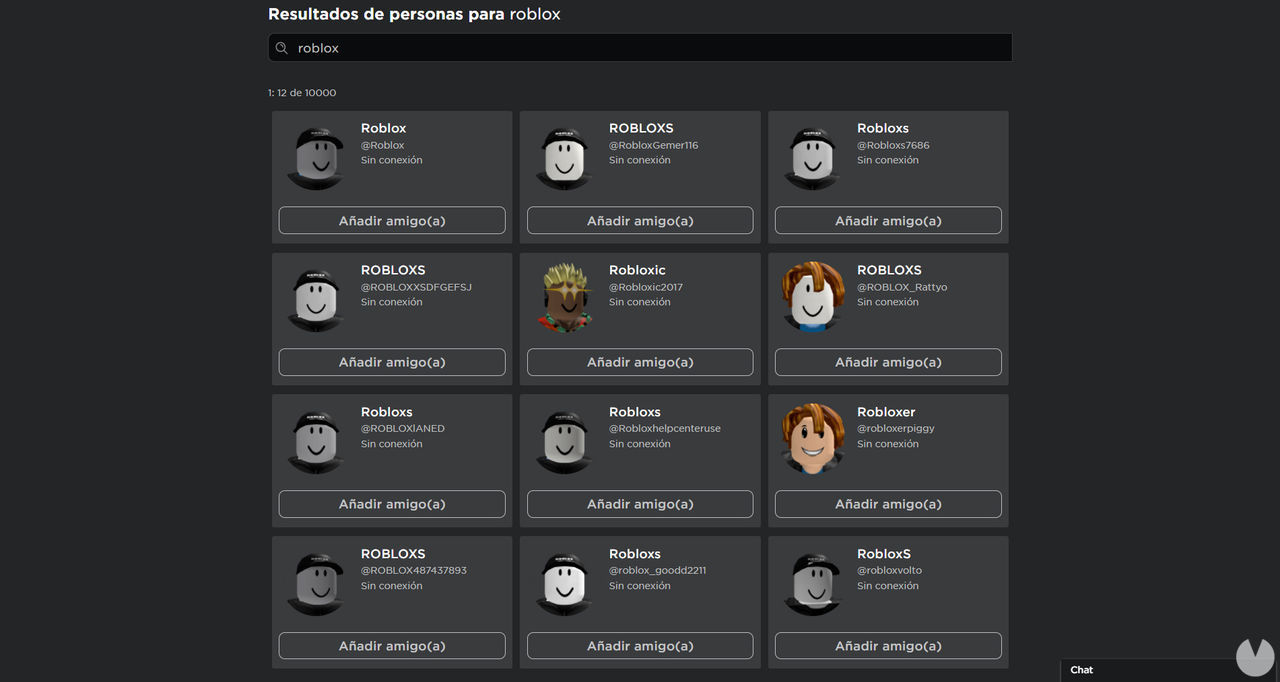
There are two different ways to make new friends on Roblox, and you can use either of them at any time:
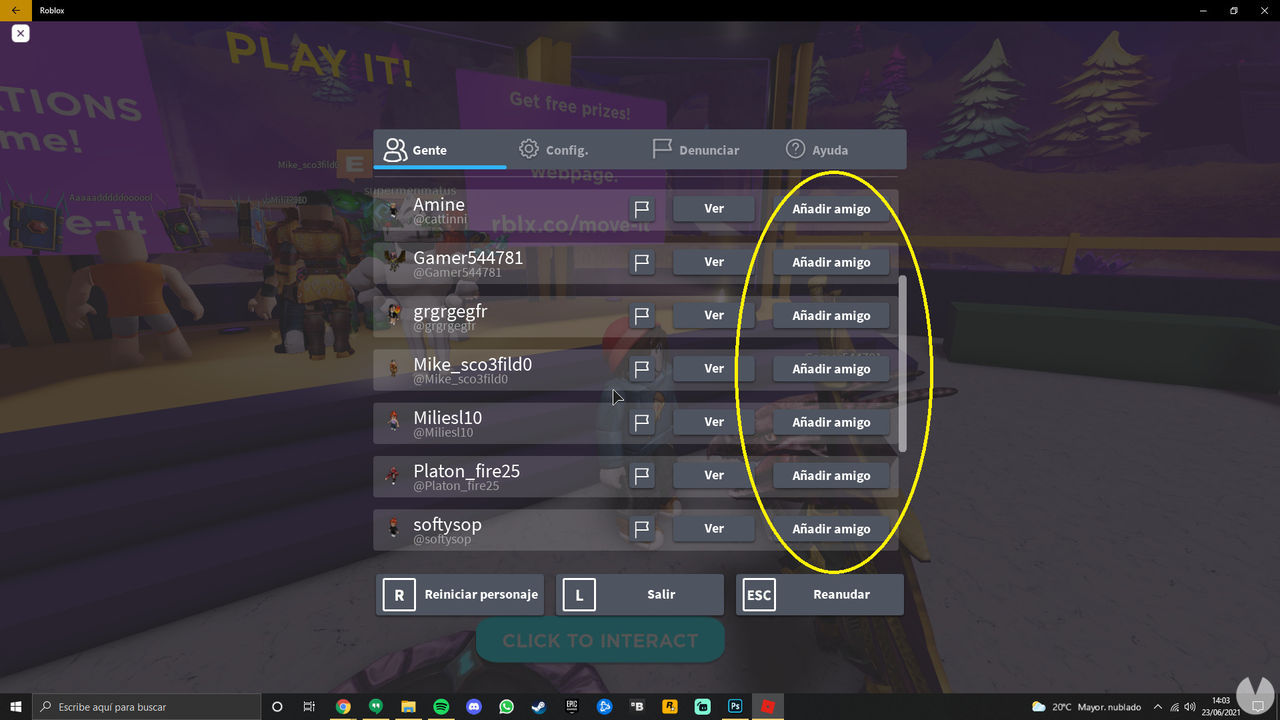
Either of these options will send a friend request to the other player. You will then need to wait for that person to accept your request before you become friends. Once they do, they will appear in the Friends menu on Roblox.
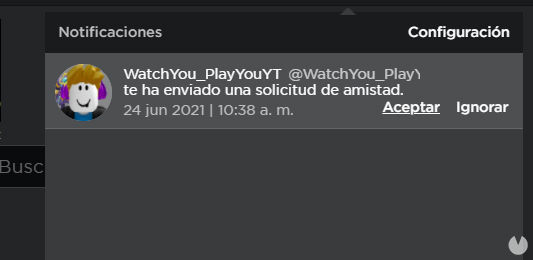
If you are the player receiving a friend request, accepting or declining it is very easy. When you receive a request, you will know immediately because a notification will appear next to the options icon in the main menu or in the "Requests" tab of the Friends menu. All you need to do is decide whether to accept that player as a friend or ignore the request.
Inviting friends to a Roblox game is very easy. Just follow these steps:
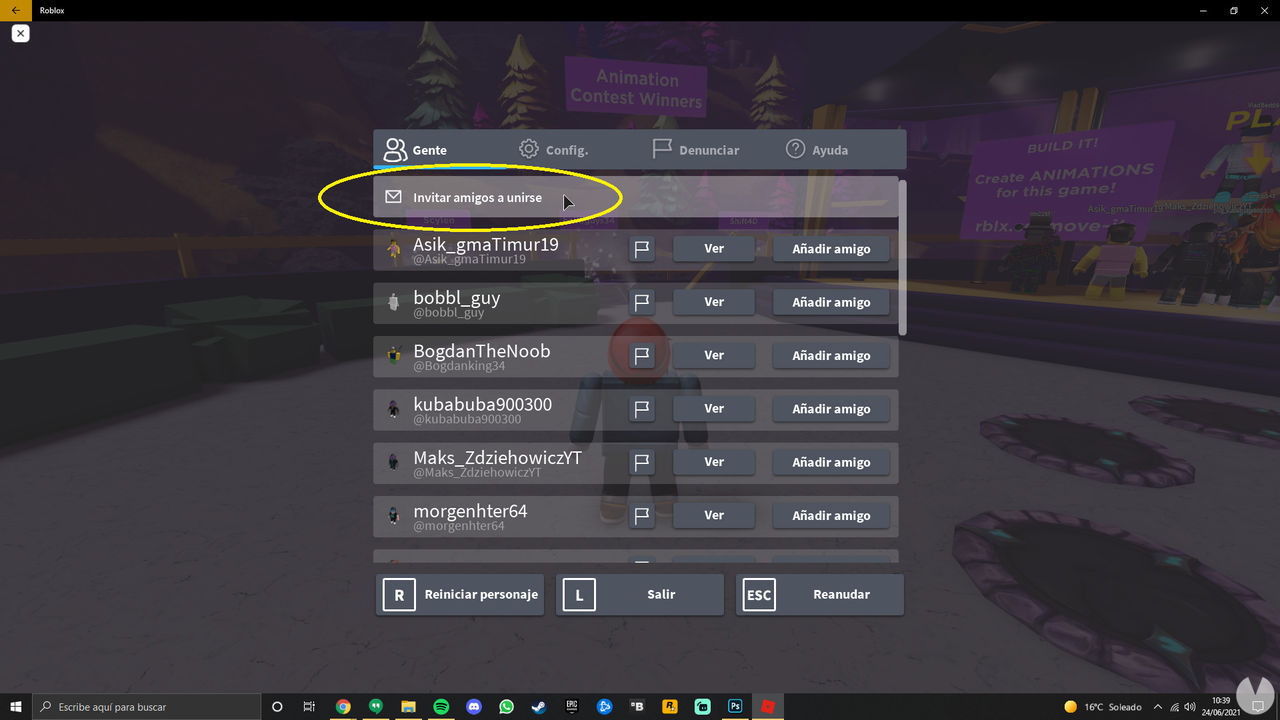
If your friend accepts the invitation, they will immediately join the same game, and you can have fun together. Bear in mind that not every Roblox game allows you to invite friends. This may be due to its mechanics, because it requires paid access, or because you are playing on a private server.
Roblox has a built-in chat that lets you talk to your friends in real time, whether you want to socialize or create groups and parties to make it easier to start playing together quickly.
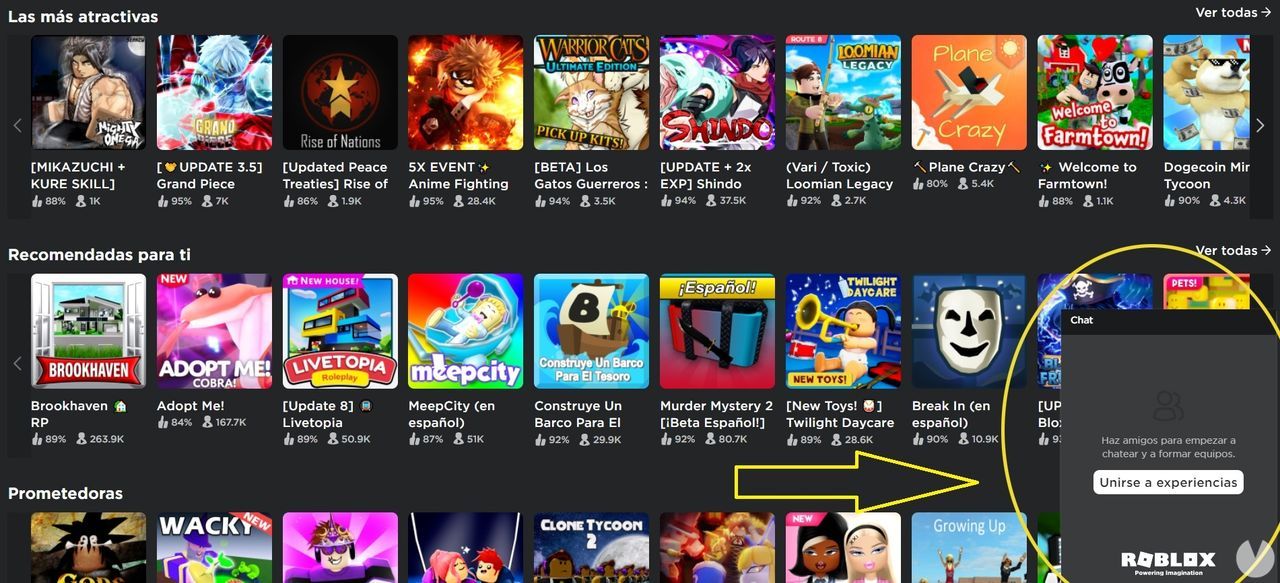
To access the Roblox chat, simply follow these steps:
While chatting with your friends, you can see which games they are playing if their privacy settings allow it. From this list, you can join your friends directly in any games you have access to.
