

Halo: Campaign Evolved brings back many of the ideas seen in the classic 2001 game while also introducing plenty of new gameplay features. One surprise many players may not know about is that this remake of the legendary FPS can also be played using a third-person camera. Although the game is obviously designed to be played in first-person, the developers have included this unusual option—but bear in mind that it is "hidden" by default... That's why, in this section of our guide, we'll explain how to unlock and activate it.
To play Halo: Campaign Evolved missions using the third-person camera, you must first find one of the game's collectible skulls: the one called Perspective.
This skull can be found in mission 1: The Pillar of Autumn in the main campaign. Once activated, it allows you to play the entire game using a third-person camera.
If you don't have this skull yet, play mission 1 until you reach Rally Point Bravo. After meeting Captain Keyes on the bridge of the Autumn, don't move on just yet when you regain control of Master Chief. Head to the section of the bridge where the ship's two pilots are located—the ones standing behind Keyes:
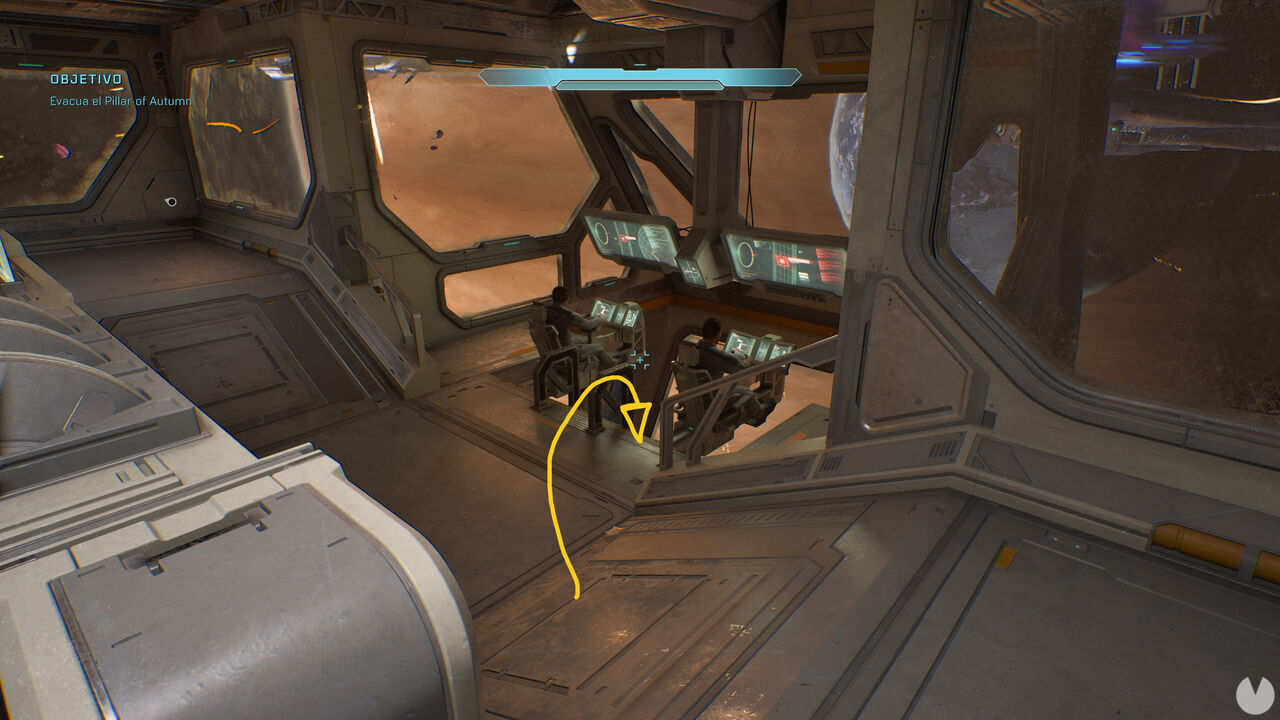
Right there, drop down beneath the two pilots into a lower alcove with windows and a ladder to find the Perspective skull.
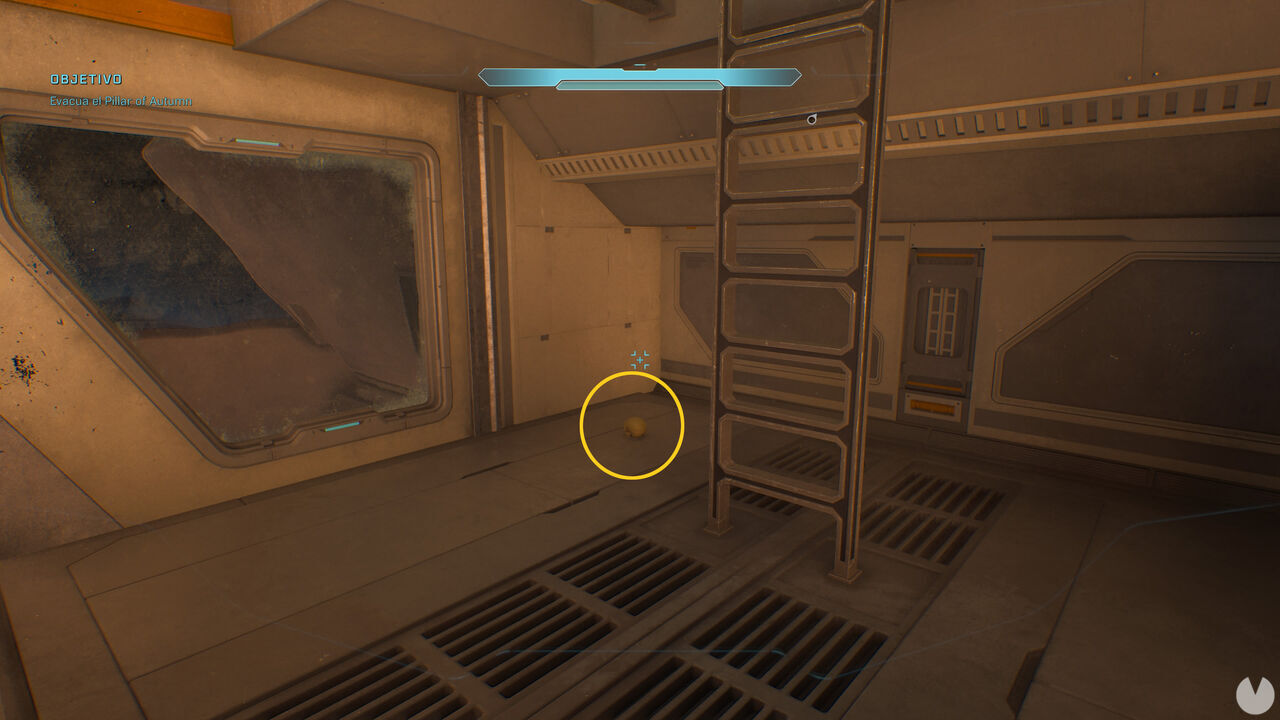
Once you've collected the skull, you can return to the main menu. From now on, you can activate this skull whenever you start a new game to play with a third-person view, as shown in the image below:
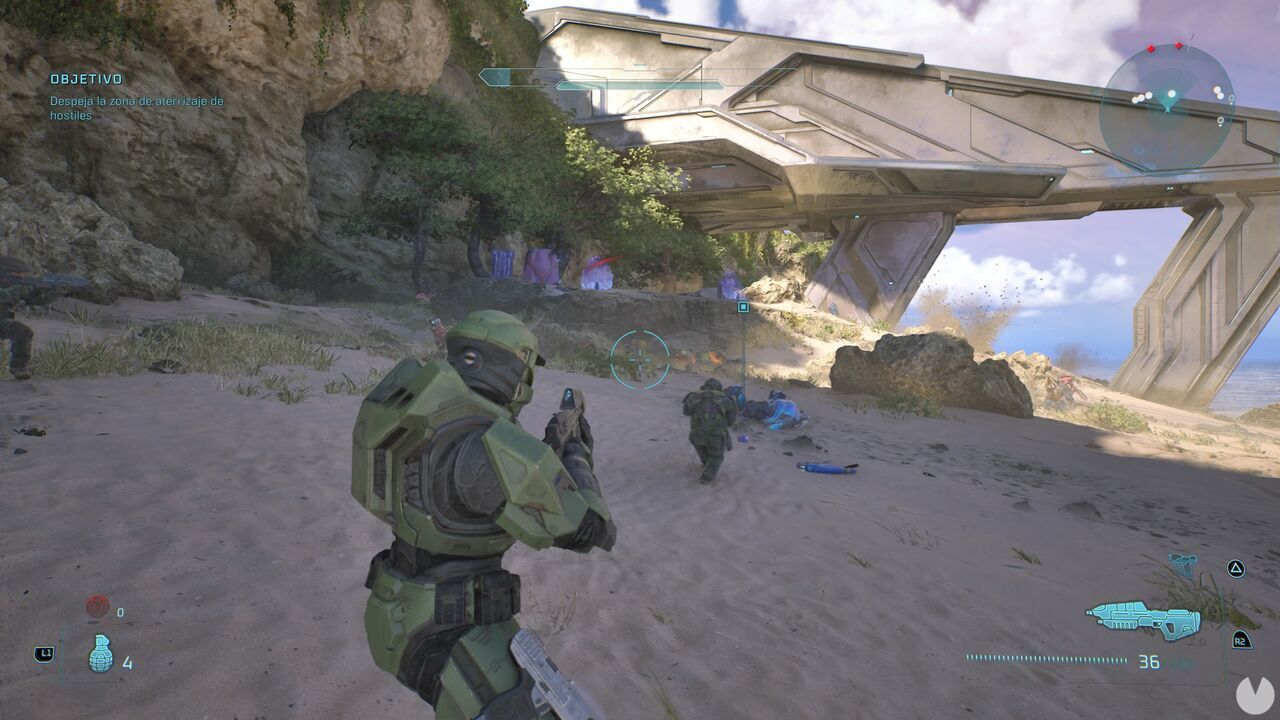
Remember, this camera is not a setting you can enable from the game's options menu. It is only available through the modifier applied by the skull mentioned above. The good news is that you can find it in the very first level of the main campaign, and it's very easy to collect, so you can experience the game in third-person almost right from the start.
